
 0
0
QNAP
0 –
10
of
74
Availability
Sort by
Advance Filters
QNAP
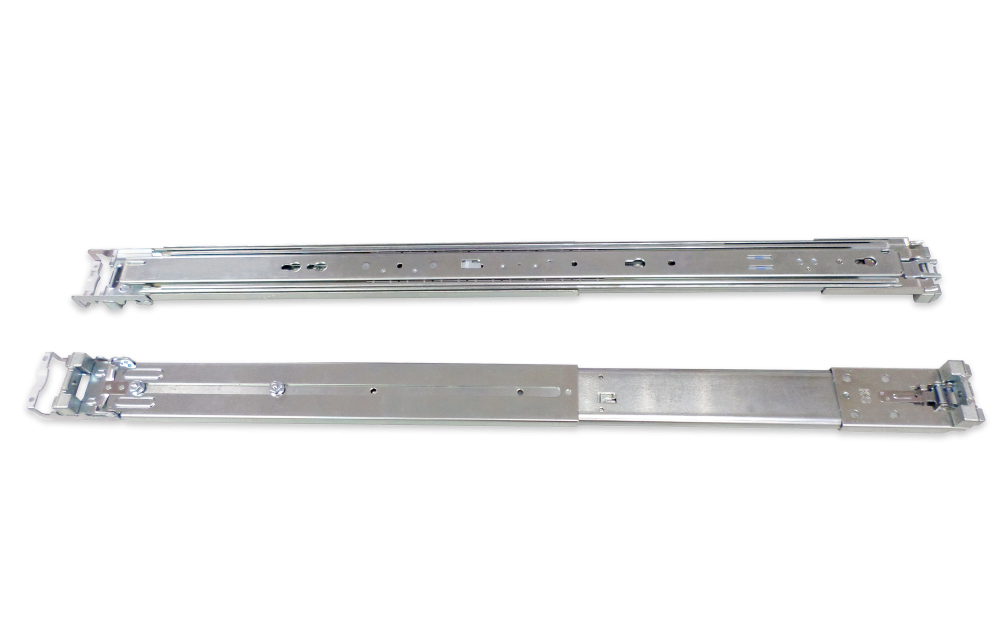
QNAP RAIL-B02 QNAP RAIL-B02 rack accessory Rack rail kit
NAS installation and maintenance made convenient
Part# RAIL-B02
SKU S19454
In
Stock


QNAP
QNAP QXG-2G2T-I225 QNAP QXG-2G2T-I225 network card Internal Ethernet 2500 Mbit/s
2.5 GbE network expansion card2.5 GbE network expansion card delivers speeds of up to 2.5 Gbps. You can easily upgrade your home and office network infrastructure with existing cables.
Part# QXG-2G2T-I225
SKU S19454
In
Stock
QNAP
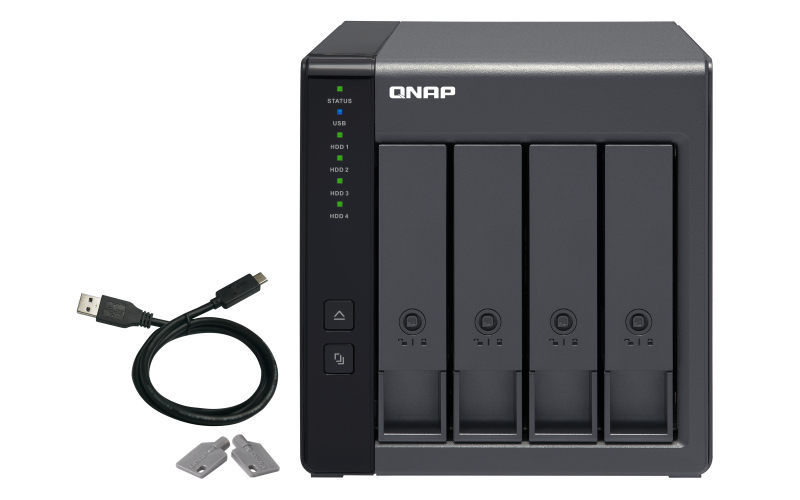
QNAP TR-004 QNAP TR-004 storage drive enclosure HDD/SSD enclosure Black 2.5/3.5"
The TR-004 USB 3.2 Gen 1 RAID expansion enclosure allows you to expand the capacity of your QNAP NAS and PC. The TR-004 can also be utilized as a DAS (Direct-attached Storage) device, allowing you to directly access its content just by connecting it via USB. The TR-004 features four 3.5-inch SATA drive bays with multiple RAID configuration options and USB 3.2 Gen 1 Type-C connectivity to bring you a highly reliable and secure storage capacity expansion solution.Effective storage expansion with RAID SupportThe TR-004 is an ideal storage expansion solution for PCs, especially for laptops which lack the ability to install larger, higher-capacity drives. Featuring four 3.5-inch SATA drive bays and supporting RAID configuration, the TR-004 provides the ability to store a vast number of files and data and to ensure protection against potential drive failure.Supports various RAID levelsThe TR-004 supports a variety of RAID configurations. Depending on your requirements, you can switch between hardware- or software-controlled RAID modes. Move the DIP switches to corresponding positions for your ideal RAID mode: Individual, JBOD, RAID 0, RAID 1/10 or RAID 5. You can also configure the RAID settings from your QNAP NAS, or by using the QNAP External RAID Manager utility on your computer.Flexible storage configuration and managementCompared with other RAID enclosures, the TR-004 provides software-controlled configurations for greater management flexibility. Users can configure RAID and monitor disk health using Storage & Snapshots Manager on a QNAP NAS, or by using the QNAP External RAID Manager utility on their computer.Versatile usage scenarios to meet storage expansion needsThe TR-004 meets many storage expansion requirements for home and work use, including:Scenario 1: Expand the capacity of your NASThe TR-004 provides an alternative method for users to expand their NAS storage capacity. By connecting the TR-004 to their NAS and using the Storage & Snapshots Manager, users can easily configure and manage their storage expansion. The TR-004 supports a variety of QNAP NAS storage and file management functions, allowing users to build storage pools, find files with Qsirch and organize files with Qfiling.Use the TR-004 as an alternative to conventional NAS expansion enclosuresAs an external hardware RAID device, the TR-004 operates independently and does not require additional NAS system resources. When compared with the UX-500P expansion enclosure, the TR-004 uses less NAS system resources.Scenario 2: External storage for your NASInstead of using the TR-004 to expand the capacity of your QNAP NAS, you can use it as a complimentary storage unit for backing up or moving data. It also allows you to physically migrate huge data collections that would require significant network bandwidth. While connected to the NAS, you can monitor the health and status of the TR-004 by using the Storage & Snapshots Manager on the NAS.Scenario 3: Expand the storage space of your computerThe TR-004 can quickly add storage space to your computer. You can use the DIP switch to configure a hardware RAID mode or manage it by using the QNAP External RAID Manager utility. The health and status of the TR-004 can also be monitored by using the QNAP External RAID Manager utility.Scenario 4: Cross-platform file sharingFrom your NAS to Windows, Mac, and Linux computers, the TR-004 is compatible with a wide range of devices. This makes it ideal for quickly moving large files between different devices. The TR-004 is even compatible with devices that use the exFAT file system*, adding further convenience for accessing and sharing files from a wider range of devices.* To access devices that use the exFAT file system, users must purchase a separate exFAT driver license.
Part# TR-004
SKU S19454
In
Stock
QNAP
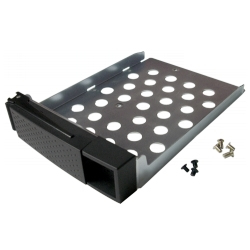
QNAP SP-TS-TRAY-WOLOCK QNAP SP-TS-TRAY-WOLOCK rack accessory
Black HDD tray with black flat head machine screw x6 for 2.5" HDD & silver flat head machine screw x8 for 3.5" HDD.
Part# SP-TS-TRAY-WOLOCK
SKU S19454
In
Stock
QNAP
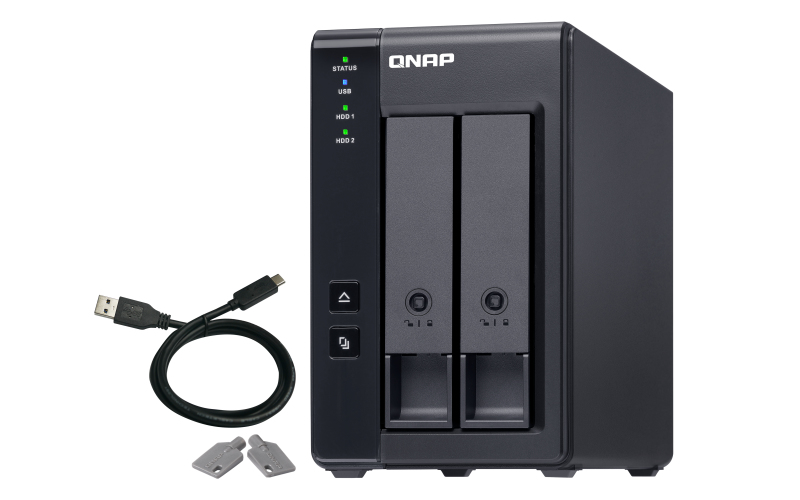
QNAP TR-002 QNAP TR-002 storage drive enclosure HDD/SSD enclosure Black 2.5/3.5"
The TR-002 USB 3.2 Gen 2 RAID expansion enclosure allows you to expand the capacity of your QNAP NAS and PC. The TR-002 can also be utilized as a DAS (Direct-attached Storage) device, allowing you to directly access its content just by connecting it via USB. The TR-002 features two 3.5-inch SATA drive bays with USB 3.2 Gen 2 Type-C connectivity to bring you a highly-reliable and secure storage capacity expansion solution.Effective storage expansion with RAID SupportThe TR-002 is an ideal storage expansion solution for PCs, especially for laptops which lack the ability to install higher-capacity drives. Featuring two 3.5-inch SATA drive bays and supporting RAID configuration, the TR-002 provides the ability to store a vast number of files and data and to ensure protection against potential drive failure.Supports various RAID levelsThe TR-002 supports various RAID configurations. Depending on your requirements, you can switch between hardware- or software-controlled RAID modes. Move the DIP switches to corresponding positions for your ideal RAID mode: Individual, JBOD, RAID 0 or RAID 1. You can also configure the RAID settings from your QNAP NAS, or by using the QNAP External RAID Manager utility on your computer.Flexible storage configuration and managementCompared with other RAID enclosures, the TR-002 provides software-controlled configurations for greater management flexibility. Users can configure RAID and monitor disk health using Storage & Snapshots Manager on a QNAP NAS, or by using the QNAP External RAID Manager utility on their computer.Versatile usage scenarios to meet storage expansion needsThe TR-002 meets many storage expansion requirements for home and work use, including:Scenario 1: Expand the capacity of your NASThe TR-002 allows users to expand their NAS storage capacity. By connecting the TR-002 to their NAS and using the Storage & Snapshots Manager, users can easily configure and manage their storage expansion. The TR-002 supports a variety of QNAP NAS storage and file management functions, allowing users to build storage pools, find files with Qsirch and organize files with Qfiling.Use the TR-002 as an alternative to conventional NAS expansion enclosuresAs an external hardware RAID device, the TR-002 operates independently and does not require additional NAS system resources. The TR-002 features USB 3.2 Gen 2 connection and supports SATA 6Gb/s drives for high-speed data access.Scenario 2: External storage for your NASInstead of using the TR-002 to expand the capacity of your QNAP NAS, you can use it as a complimentary storage unit for backing up or moving data. It also allows you to physically migrate huge data collections that would require significant network bandwidth. While connected to the NAS, you can monitor the health and status of the TR-002 by using the Storage & Snapshots Manager on the NAS.Scenario 3: Expand the storage space of your computerThe TR-002 can quickly add storage space to your computer. You can use the DIP switch to configure a hardware RAID mode or manage it by using the QNAP External RAID Manager utility. The health and status of the TR-002 can also be monitored by using the QNAP External RAID Manager utility.Scenario 4: Cross-platform file sharingFrom your NAS to Windows, Mac, and Linux computers, the TR-002 is compatible with a wide range of devices. This makes it ideal for quickly moving large files between different devices. The TR-002 is even compatible with devices that use the exFAT file system*, adding further convenience for accessing and sharing files from a wider range of devices.
Part# TR-002
SKU S19454
In
Stock
QNAP
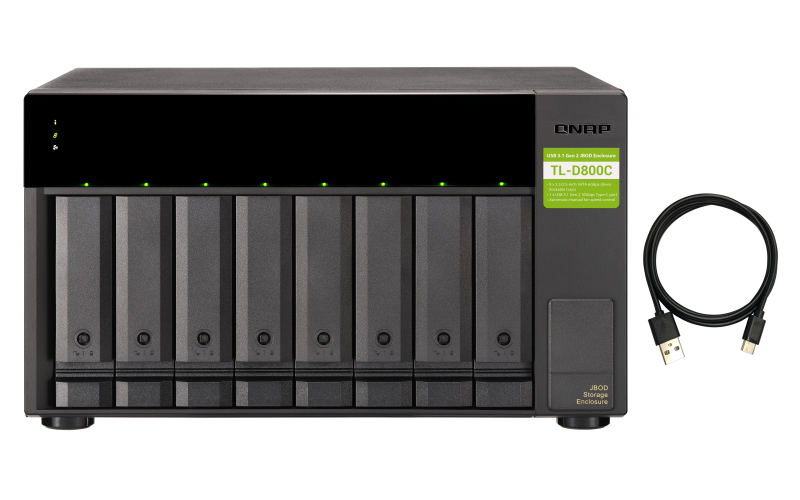
QNAP TL-D800C QNAP TL-D800C storage drive enclosure HDD/SSD enclosure Black, Grey 2.5/3.5"
High-speed USB transferThe TL-D800C features high-speed USB 3.2 Gen2 Type-C connectivity and built-in USB Attached SCSI Protocol (UASP) to provide convenient fast file sharing and intensive data transfer. The TL-D800C not only provides you higher file transfer performance than USB 3.2 Gen1 (USB 3.2 Gen 1) but offers a more cost-effective option than other storage enclosures on the market.Flexible storage configuration and managementThe TL-D800C provides software-controlled configurations for greater management flexibility. Users can use the QTS / QuTS hero Storage & Snapshots Manager to configure the TL-D800C as a storage enclosure for your QNAP NAS. The NAS expansion storage mode supports various NAS functions, including storage pools and snapshots. With TL-D800C, you can easily expand storage capacity.JBOD migration speeds up remote file transfersMigrating a large number of small files or a single large data file by network environment can be time-consuming and consume significant network bandwidth that causes decreased work efficiency. The TL-D800C supports remote file transfer. All you have to do is set up the RAID configuration and store a large number of files. Then you can move the TL-D800C to another place and connect it with the NAS to experience the device’s simple plug and play feature and fast data migration.Use TL-D800C as a high-capacity disk drive reader by setting up single disk modeYou can treat each disk in your TL-D800C as an individual storage space, and also use it as a removable drive. It can function like a high-capacity disk drive reader. When one of disk reaches data storage limitation, you can remove it and put it into a dry box. Then swap a different disk into theTL-D800C empty drive slot. After that, you can install the disk that reached full data capacity into the TL-D800C and connect it with a NAS for direct file access.Versatile usage scenarios to meet storage expansion needsThe TL-D800C meets many storage expansion requirements for the home and office.Scenario 1: Expand your NAS capacityThe TL-D800C provides an alternative method for users to expand their NAS storage capacity. By connecting the TL-D800C to their NAS and using the Storage & Snapshots Manager in QTS or QTS hero, users can easily configure and manage their storage expansion. The TL-D800C supports a variety of QNAP NAS storage and file management functions, allowing users to build storage pools, finding files with Qsirch, and organizing files with Qfiling.Scenario 2: External storage for your NASYou can use the TL-D800C to expand your NAS storage. You can select disks to create storage pools for expanding your NAS capacity, or you can treat each disk as an individual external storage space and use it as a removable drive for greater flexibility. Regardless of the mode you use, you can always use Storage & Snapshots Manager in QTS or QTS hero to set up and manage your TL-D800C and use hard drive S.M.A.R.T. and Notification Center to check disk status anytime and anywhere.
Part# TL-D800C
SKU S19454
In
Stock
QNAP
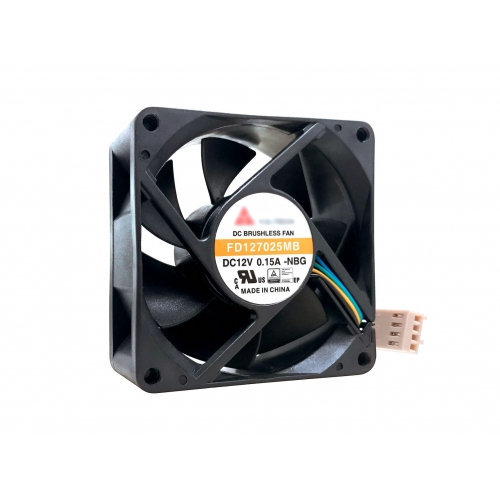
QNAP FAN-7CM-T01 QNAP FAN-7CM-T01 computer cooling system Universal Black
Part# FAN-7CM-T01
SKU S19454
In
Stock
QNAP
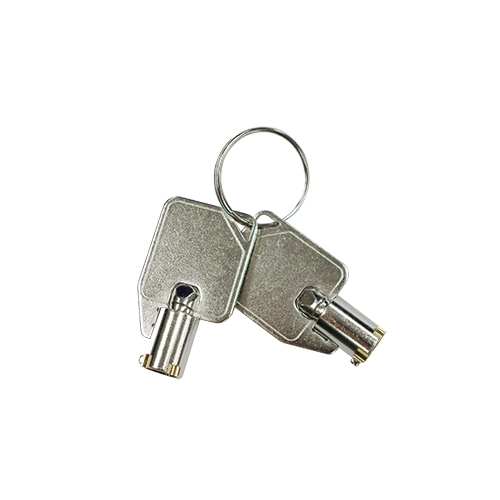
QNAP KEY-HDDTRAY-01 QNAP KEY-HDDTRAY-01 computer case part Other
Key for HDD tray.
Part# KEY-HDDTRAY-01
SKU S19454
In
Stock

QNAP
QNAP QNA-UC10G1SF QNAP USB 4 Type-C to 1 x 10GbE SFP+Network A Ethernet 10000 Mbit/s
Enjoy stable 10GbE high-speed networking using a USB Type-C connection to greatly enhance work efficiency, even on computers without built-in network ports.Broad interface compatibilityThe QNA-UC10G1SF includes a 1-meter USB 4 cable for connecting to your computer's USB 4 or Thunderbolt™ 3/4 ports.Multi-system compatibilitySupports Windows®, macOS®, and Linux® computers (driver installation required).Low-noise operationFanless design ensures stable performance with reduced noise and maintenance, offering a quiet, reliable experience for long-term use.Add 10GbE high-speed network connectivityConnect your devices to a 10GbE network with the QNA-UC10G1SF and significantly boost your transmission performance and team productivity.Stylish metal finish and portablePerfectly fits in with all your tech gearBuild a high-speed network environment with a 10GbE switchIn multi-user, multi-device environments, connect your computer to a QNAP 10GbE switch using the QNA-UC10G1SF network adapter to create a high-bandwidth, high-speed collaborative network across multiple connected devices.Easy setup, instant connectionSimply connect a QNA-UC10G1SF to your Mac® or Windows® computer using the included USB 4 cable, and connect the adapter to a 10GbE switch, NAS, or other 10GbE device using an RJ45 Cat 5e, Cat 6, Cat 6a (or above) cable, or an SFP+ DAC cable.
Part# QNA-UC10G1SF
SKU S19454
In
Stock
QNAP
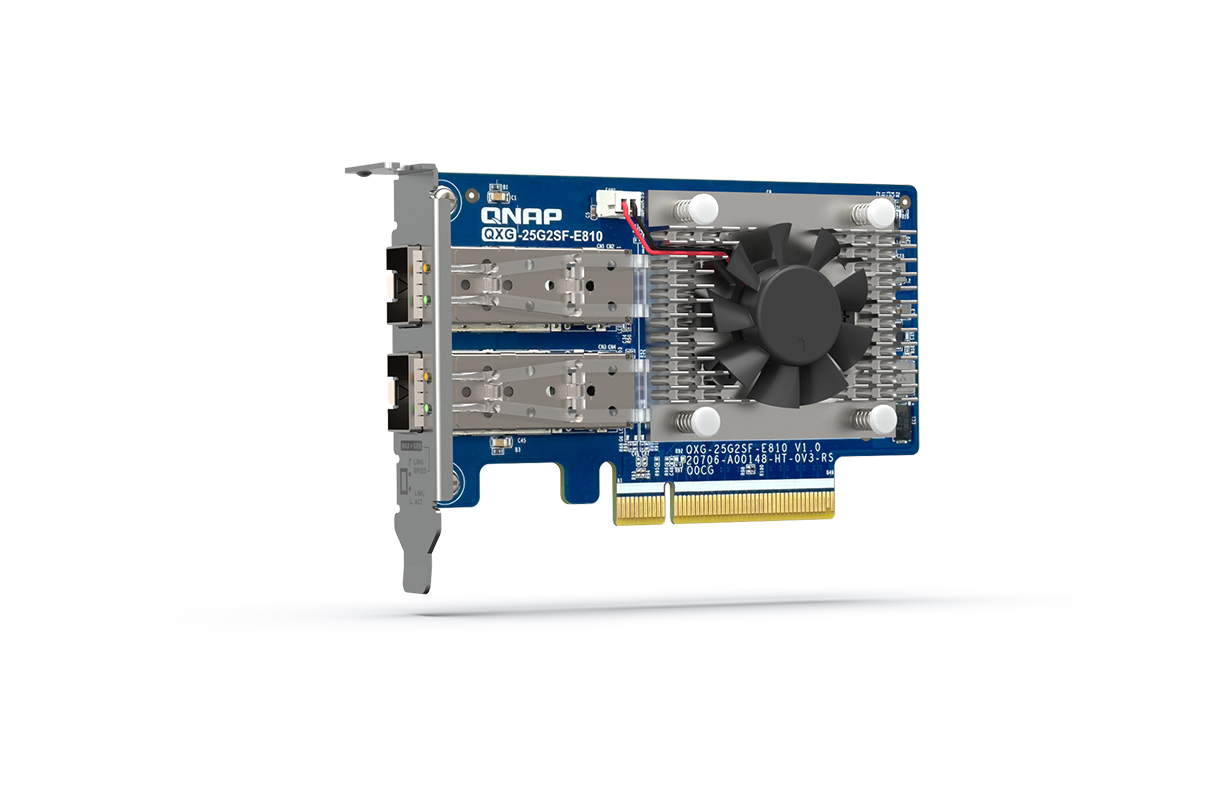
QNAP QXG-25G2SF-E810 QNAP QXG-25G2SF-E810 network card Internal Fiber 25000 Mbit/s
The dual-port QXG-25G2SF-E810 25GbE network expansion card with Intel® Ethernet Controller E810-XXVAM2 supports PCIe Gen4 (backwards compatible with Gen3) and provides up to 25Gbps transfer speeds (10/25Gbps supported). By using SMB Multichannel to aggregate multiplied network connections, you maximize available bandwidth and can achieve up to 50Gb/s for accelerating file sharing and intensive data transfer. With Network Offload support, the QXG-25G2SF-E810 greatly boosts network efficiency and is ideal for I/O-intensive and latency-sensitive virtualization applications, data centers, and multimedia transmission/real-time video editing.Compatible with NAS and PCQNAP Network Expansion Cards support NAS operating systems (QTS and QuTS hero), Windows® 11, Windows Server® and Linux®, allowing you to expand the performance potential of all your networked devices.Build 25GbE networks with QNAP NAS and high-speed network switchesQNAP provides one-stop 25GbE storage and networking solutions for ultra-high speed connectivity to meet various needs. The TS-h2287XU-RP NAS not only fully realizes 25Gb/s performance but also allows for more connected PCs/workstations by installing the QXG-25G2SF-E810 through PCIe Gen 4 slots. Coupled with 25GbE network switch, you can create an ultra-high speed and scalable network environment with great cost efficiency.Ensure reliable data transfer with Forward Error Correction (FEC)The QXG-25G2SF-E810 supports FEC to overcome packet loss – a potentially common occurrence in fast, long-distance networks. FEC helps the receiving side detect and recover lost data to correct bit errors, thus ensuring reliable data transmission over “noisy” communication channels. With three FEC modes, you can use a suitable cable and switch to build an optimal network environment.Enable SMB Multichannel for multiplied network performanceQNAP provides various NAS systems that come with built-in 25GbE ports. You can add more 25GbE connections by installing the QXG-25G2SF-E810 PCIe network cards, and enable SMB Multichannel to enjoy 50Gb/s (or higher) network speeds with connected client devices, giving you a flexible and cost-effective high-speed storage solution.Supports Windows and Linux servers/workstationsBesides QNAP devices, the QXG-25G2SF-E810 supports many platforms (including Windows 11, Windows Server® 2022 and Ubuntu® 20.04 LTS) allowing you to attain optimal business performance for a wider range of system applications and services. The higher bandwidth density with reduction in links helps reduce cabling and operational costs.Faster ServerFaster server connections within data centers accelerate data aggregation and operational performance.Denser ComputeBoost the productivity of compute-demanding tasks such as cloud computing, virtual machines, containers, and more.Bigger DataEmpower the movement of large files from surveillance streams, 4K/8K media, Internet of Things, and more.Scalability25GbE is agile, scalable, and provides an easy upgrade path to 50GbE or 100GbE, ensuring that your IT infrastructure is future-proofed.
Part# QXG-25G2SF-E810
SKU S19454
In
Stock

Item(s) added to cart

