
 0
0
StarTech.com
230 –
240
of
567
Availability
Sort by
Advance Filters
StarTech.com
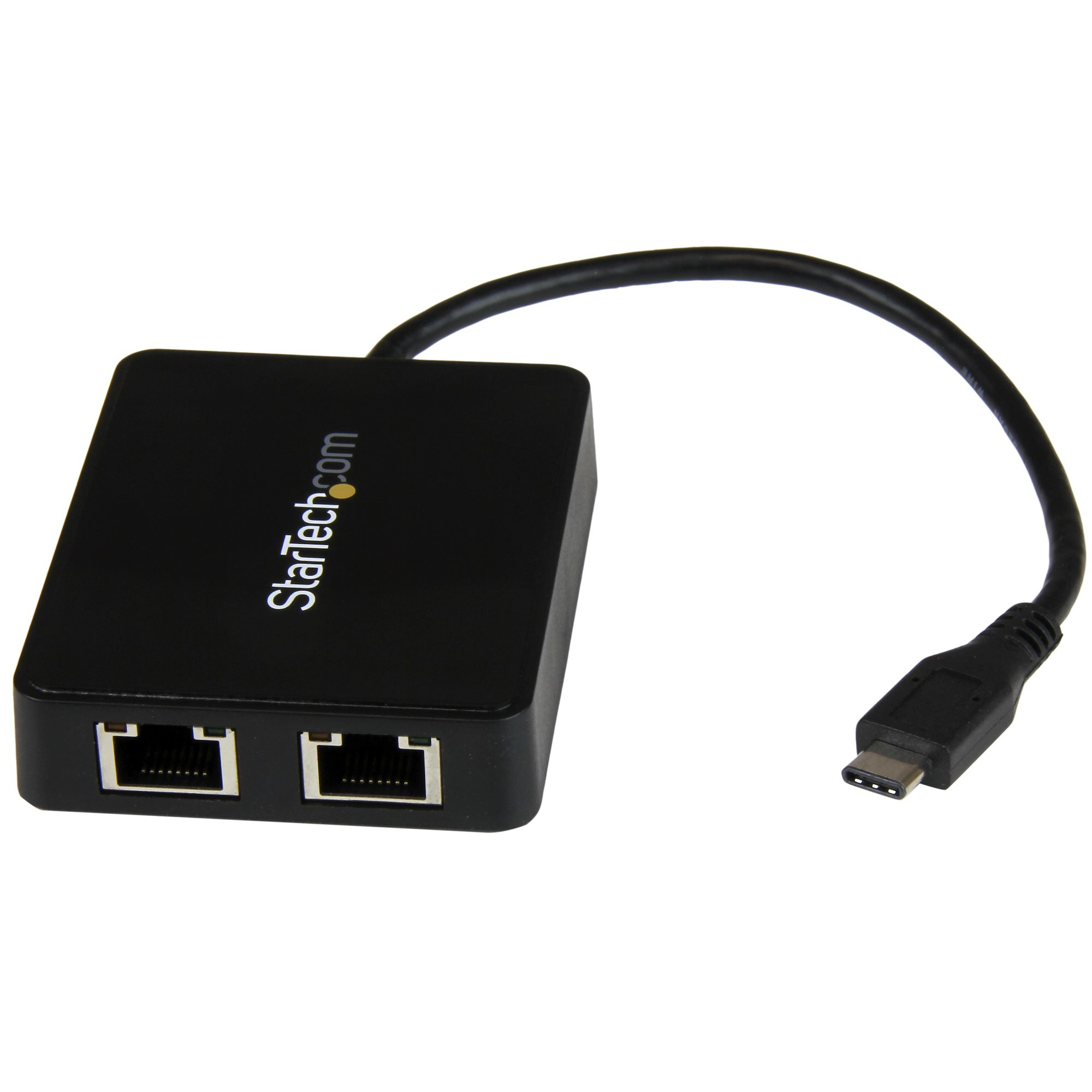
StarTech.com US1GC301AU2R StarTech.com USB-C to Dual Gigabit Ethernet Adapter with USB (Type-A) Port
Use the USB-C port on your laptop to add LAN access with two Gigabit Ethernet ports and a USB 3.0 (Type-A) portNow, you can add wired network access through the USB-C™ or Thunderbolt™ 3 port on your laptop or desktop computer, and connect to your USB 3.0 (Type A) devices with ease. This Gigabit Ethernet network adapter gives you access to two reliable GbE ports, and without having to install drivers. It's a great companion for your MacBook, Chromebook Pixel™, Dell™ XPS™ 12, Dell Latitude™ 12 7000 Series 2-in-1 or another device that has a USB Type-C™ port.Powerful Gigabit network connectionsThe network adapter leverages the 5Gbps speed of USB 3.0 (also known as USB 3.1 Gen 1) to deliver the full bandwidth of your Gigabit network connection, without bottlenecks. This saves you time by making it easier to access very large files over your network at Gigabit speed.For added versatility, the network adapter supports a range of convenient features, such as Wake-On-LAN, VLAN Tagging, Crossover Detection and Auto-Correction (Auto MDIX), Checksum Offload (IPv4, IPv6, TCP, UDP), and Large Send Offload.Add connectivity to your USB devicesSome computers with USB Type-C only offer one USB-C port for external connectivity, which will not connect with your existing USB Type-A devices. This Gigabit adapter features an integrated USB 3.0 Type-A port, so while the adapter is connected to your computer to provide network access, you can also connect to USB peripherals that need a USB Type-A connector. The network adapter is also backward compatible with USB 2.0 systems.Native driver support makes installation easyGet up and running quickly. The network adapter provides native driver support to ensure a quick setup. Simply plug the adapter into the USB Type-C port on your laptop and connect to your network. The network adapter chipset offers native driver support in Chrome OS™ and Windows® 8.1, and supports Mac OSX (10.10) with driver installation.Trouble-free connections through USB-Type-CThe USB Type-C connector is smaller and easier to use than previous USB connectors. It’s a reversible plug, so you can connect to your devices with either side facing up. You can insert the cable the right way every time, without frustration or the risk of port damage.Enhance Productivity and Device Management with the StarTech.com Connectivity Tools ApplicationDeveloped to improve performance and security, StarTech.com Connectivity Tools is the only software suite on the market that works with a wide range of IT connectivity accessories. The software suite includes:•Mac Address Pass-Through Utility : To improve network security.•Wi-Fi Auto Switch Utility : Enabling users to quickly access faster network speeds via wired LAN.For more information and to download the StarTech.com Connectivity Tools application, please visit: www.StarTech.com/Connectivity-ToolsThe US1GC301AU2R is backed by a StarTech.com 2-year warranty and free lifetime technical support.The StarTech.com Advantage
Part# US1GC301AU2R
SKU S19454
In
Stock


StarTech.com
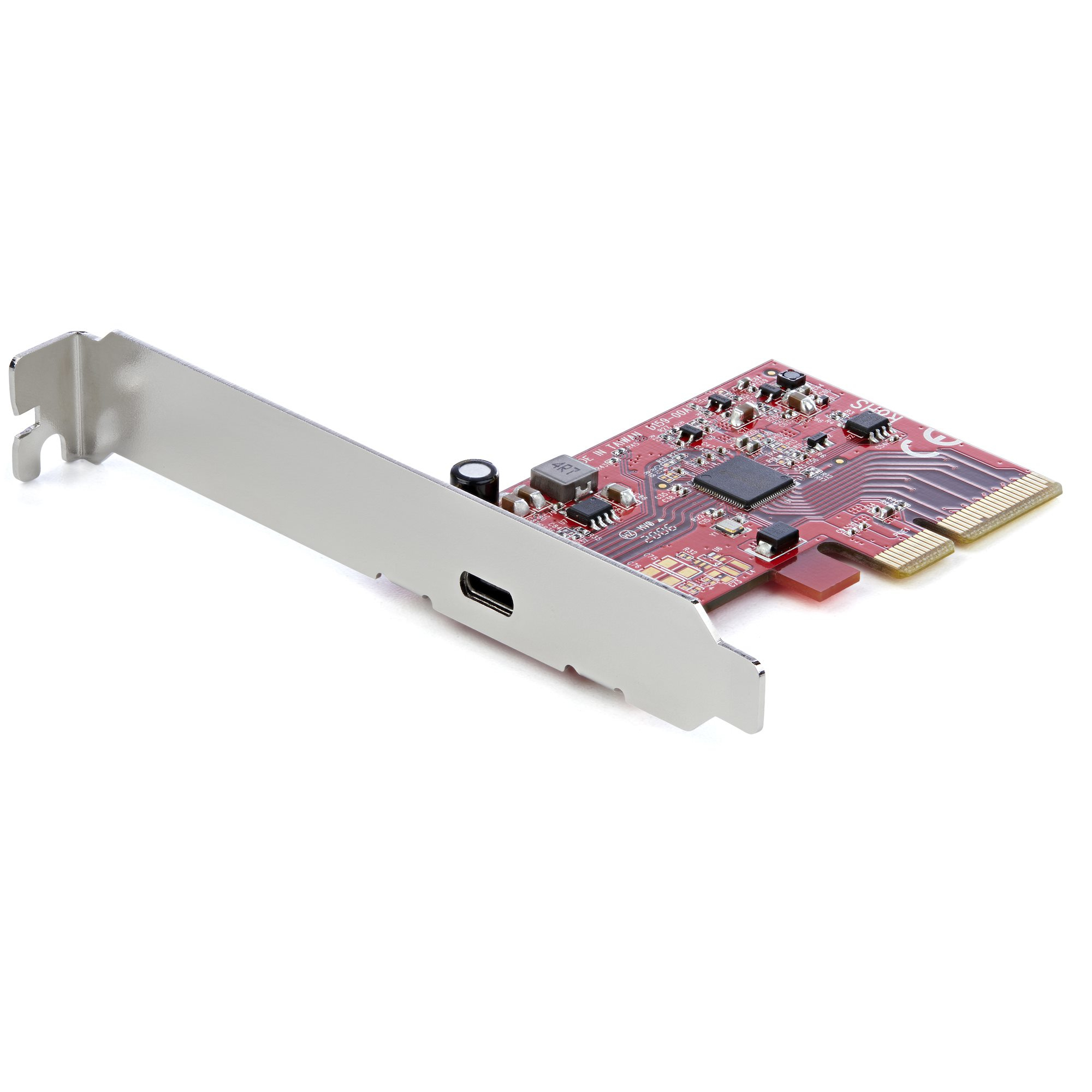
StarTech.com PEXUSB321C StarTech.com 1-Port USB 3.2 Gen 2x2 PCIe Card, USB-C 20Gbps SuperSpeed PCI Express 3.0 x4 Controller Card, USB Type-C Adapter Card, Data Only, Windows/macOS/Linux, TAA
USB 3.2 Gen 2x2 (20 Gbps) | PCI-Express 3.0 | PCIe x4 Slot | USB Type-CThis PCIe USB 3.2 Gen 2x2 controller card installs into an available PCI-Express x4 slot in your computer and enables you to upgrade your current system by adding a USB-C™ (20Gbps) port.Add a 20 Gbps USB Type-C Port to Your Desktop ComputerThe controller card enables you to connect USB-C Gen 2x2 (20 Gbps) devices to your desktop computer. The USB-C port is ideal for connecting USB devices such as external hard drives and solid state drives or charging and syncing your mobile devices. The USB-C port provides up to 15W (5V/3A) of power and is backward compatible with USB 3.2 Gen 2 (10 Gbps) and USB 3.2 Gen 1 (5 Gbps) devices.Note: USB 3.2 Gen 2 (10 Gbps) is also know as USB 3.1 Gen 2 (10 Gbps), and USB 3.2 Gen 1 (5 Gbps) is also know as USB 3.1 Gen 1 and USB 3.0 (5 Gbps).SuperSpeed USB 3.2 Gen 2x2 (20 Gbps) PerformanceThe USB 3.2 Gen 2x2 card features an ASMedia ASM3242 host controller that utilizes x4 lanes of the PCIe 3.0 bus, making the card capable of speeds up to 20Gbps and enabling fast access to high-performance devices like NVMe drives and SSDs. The controller card supports Multiple INs to reduce bandwidth loss when multiple devices are connected through a USB Hub (Note: The USB hub must also support this feature). The card also supports UASP for improved performance with storage devices.Wide Installation CompatibilityThis add-on card includes both full-profile and low-profile installation brackets ensuring you can install it into either a full or low-profile PCIe 3.0 x4 slot (backward compatible w/PCIe 2.0). For wide platform support the card is compatible with Windows, Linux and macOS. For hassle-free installation the drivers install automatically on computers running Windows 8 or higher. Works w/USB 3.2/3.0/2.0 devicesPEXUSB321C is backed by a StarTech.com 2-year warranty and free lifetime 24/5 multi-lingual North American based technical support. StarTech.com has been the IT professionals' choice for over 30 years.The StarTech.com Advantage
Part# PEXUSB321C
SKU S19454
In
Stock
StarTech.com
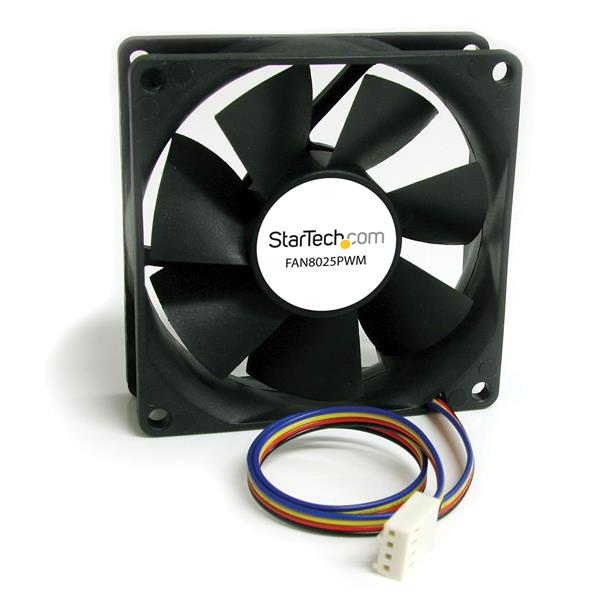
StarTech.com FAN8025PWM StarTech.com 80x25mm Computer Case Fan with PWM – Pulse Width Modulation Connector
Add a Variable Speed, PWM-Controlled Cooling Fan to a Computer CaseThe FAN8025PWM 80mm PWM Case Fan adds an efficient air cooling solution to computer cases or other enclosures, to keep components running optimally.With Pulse Width Modulation (PWM) technology, the fan speed can be dynamically controlled by the motherboard, so the fan runs at a speed that suits the operating conditions - lowering power consumption and fan noise when the system is idle, and delivering maximum cooling under full load conditions.Backed by a StarTech.com 2-year warranty and free lifetime technical support.The StarTech.com Advantage- PWM control enables the fan to be controlled by the motherboard according to current system requirements, ensuring optimal system performance- Ever Lubricate bearing design increases reliability and lifespan over fans with a traditional sleeve bearing design- Backed by a StarTech.com 2-year warranty and free lifetime technical support
Part# FAN8025PWM
SKU S19454
In
Stock
StarTech.com
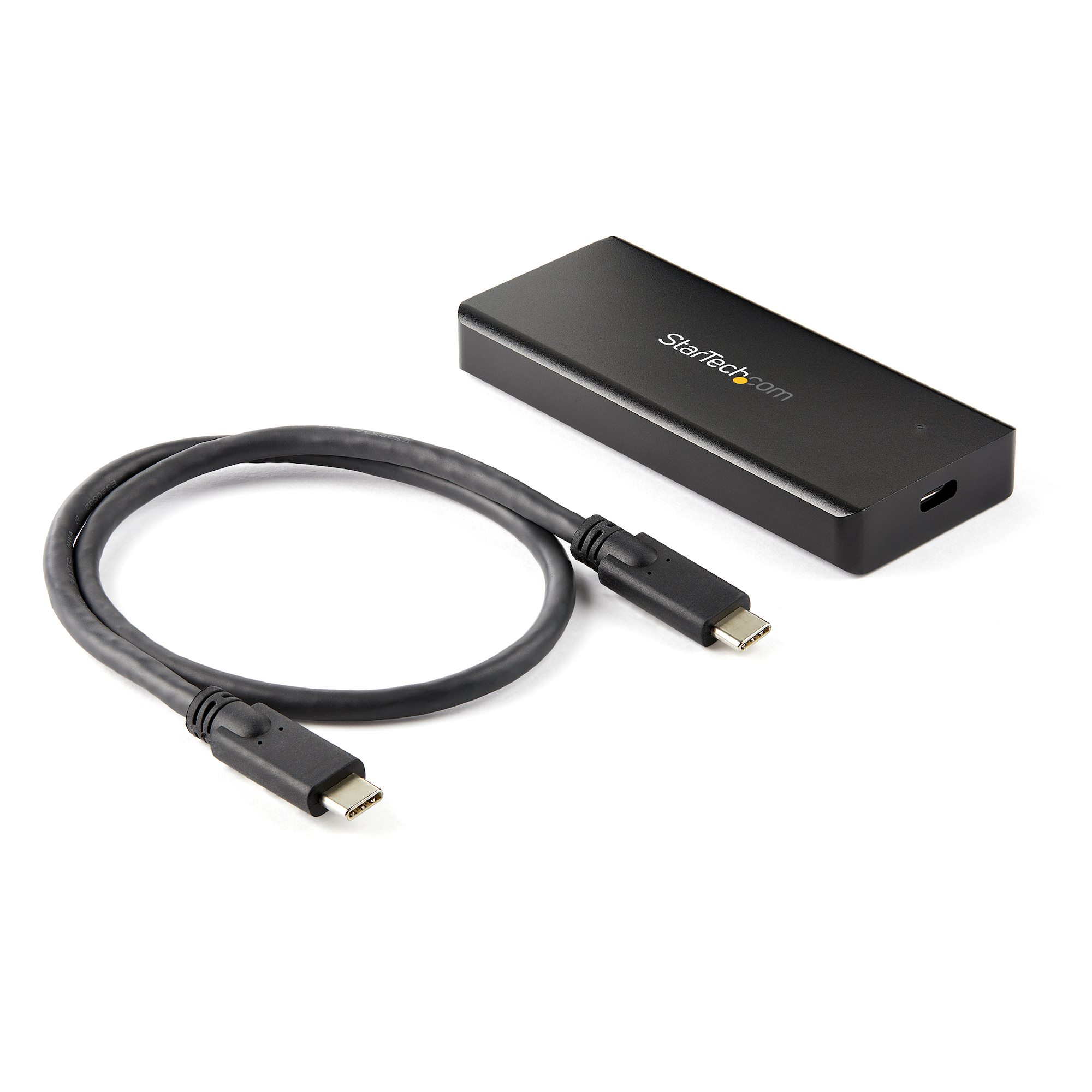
StarTech.com M2E1BRU31C StarTech.com USB-C 10Gbps M.2 NVMe PCIe SSD Enclosure - Rugged Aluminum External M.2 PCIe M-Key Case IP67 Rated - 1GB/s Read/Write - Supports 2230/2242/2260/2280 - TB3 Compatible - Mac/PC
Rugged SSD Enclosure | Thunderbolt 3 Compatible | USB-C Cable IncludedThis rugged M.2 NVMe PCIe SSD enclosure is a highly portable, high-performance data storage solution for your USB-C or Thunderbolt 3 enabled devices.Unparalleled PerformanceLeverage the high speeds of your M.2 NVMe drive, with this external SSD enclosure. It delivers USB 3.1 Gen 2 read/write speeds up to 10Gbps, nearly twice the capability of traditional M.2 SATA and hard drive enclosures.This fan-less solid aluminum enclosure features an internal thermal pad that transfers heat away from the drive for maximum heat dissipation, ensuring your drive operates noiselessly at an optimal temperature to preserve performance.Dustproof and Water ResistantBe prepared for the unexpected. The enclosure for PCI Express based NVMe SSDs comes with an IP67 rating, which means that it's both dustproof and water resistant.It's the perfect solution for people who work outside. Or, for people who work in environments with a lot of dust, like: construction sites, factories, or manufacturing facilities.Broad CompatibilityThe USB 3.1 Gen 2 NVMe enclosure works with tablets, laptops, desktop computers and hosts that are equipped with USB Type-C and Thunderbolt 3 ports. It's also backward compatible with USB 3.1 Gen 1, making it a convenient solution for the office or other environments.The Choice of IT Pros Since 1985StarTech.com conducts thorough compatibility and performance testing on all our products to ensure we are meeting or exceeding industry standards and providing high-quality products to IT Professionals. Our local StarTech.com Technical Advisors have broad product expertise and work directly with our StarTech.com Engineers to provide support for our customers both pre and post-sales.M2E1BRU31C is backed by a StarTech.com 2-year warranty and free lifetime technical support.The StarTech.com Advantage
Part# M2E1BRU31C
SKU S19454
In
Stock
StarTech.com
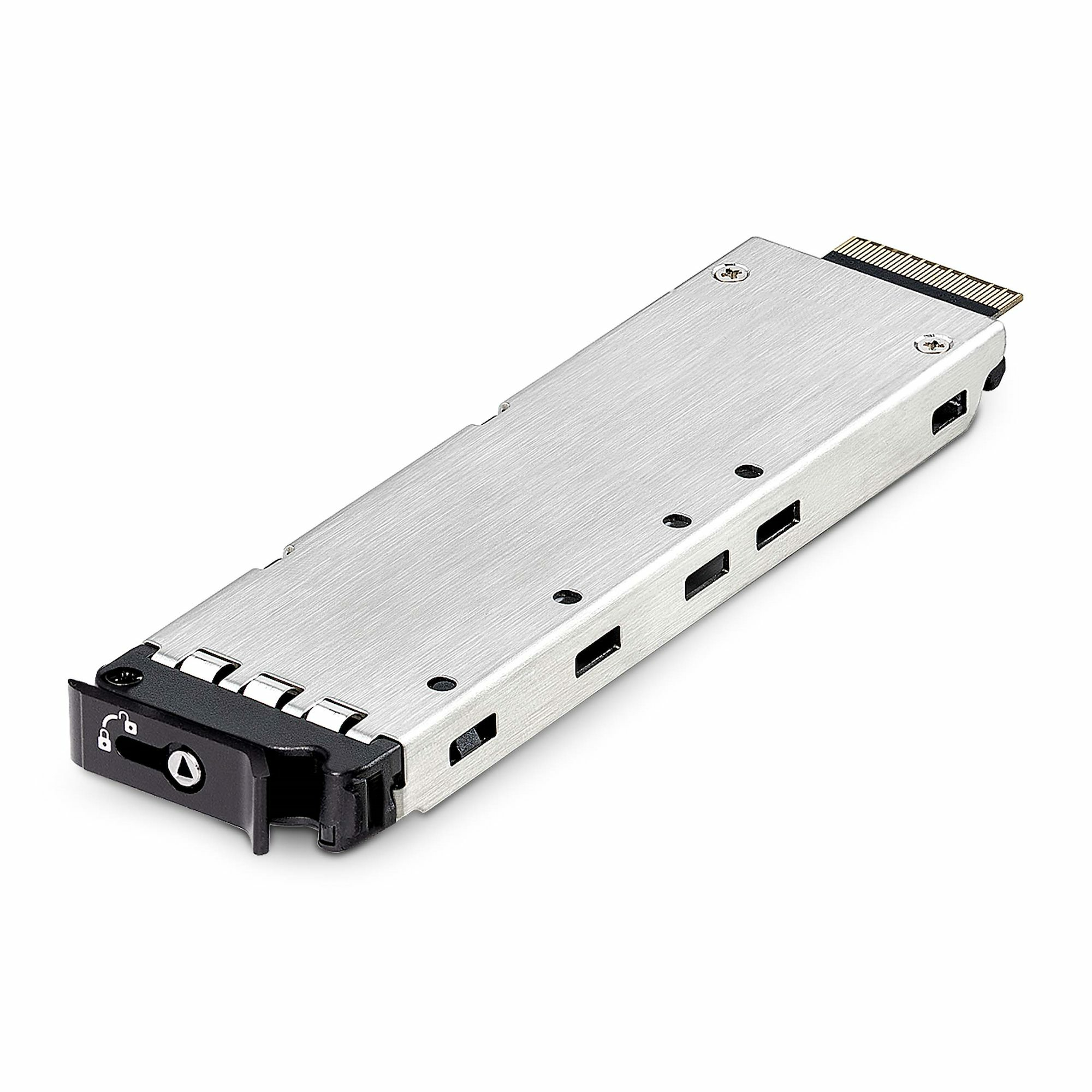
StarTech.com TR-M2-REMOVABLE-PCIE StarTech.com TR-M2-REMOVABLE-PCIE drive bay panel Storage drive tray Black, Silver
A spare drive tray to add and/or swap a 2230, 2242, 2260, or 2280 M-Key NVMe M.2 SSDA spare drive tray for M2-REMOVABLE-PCIE-N1 or 2M2-REMOVABLE-PCIE, to add or swap a compatible drive. The drive tray accommodates M-Key M.2 NVMe SSDs in 2230, 2242, 2260, and 2280 sizes.Toolless InstallationInstall an M.2 drive into the drive tray without the need for tools. The drive tray features a power/activity LED indicator to monitor drive status. A latching mechanism with optional lock (2 keys included) deters the theft of mission-critical data storage devices.Optimal PerformanceThe tray features thermal pads which aid heat dissipation, ensuring optimal and reliable performance while reducing potential thermal throttling. Anti-vibration springs on the drive tray reduce impact during installation and enhance the overall stability and longevity of the drive.Hot-SwappableWhen used with products from the PCIe Expansion Product Series, it provides flexibility and convenience for managing multiple M.2 drives. NVMe PCIe hot swap support is dependent on the motherboard. Verify hot swap support with the manufacturer of the motherboard and for instructions regarding how to enable this feature.The StarTech.com Advantage
Part# TR-M2-REMOVABLE-PCIE
SKU S19454
In
Stock
StarTech.com
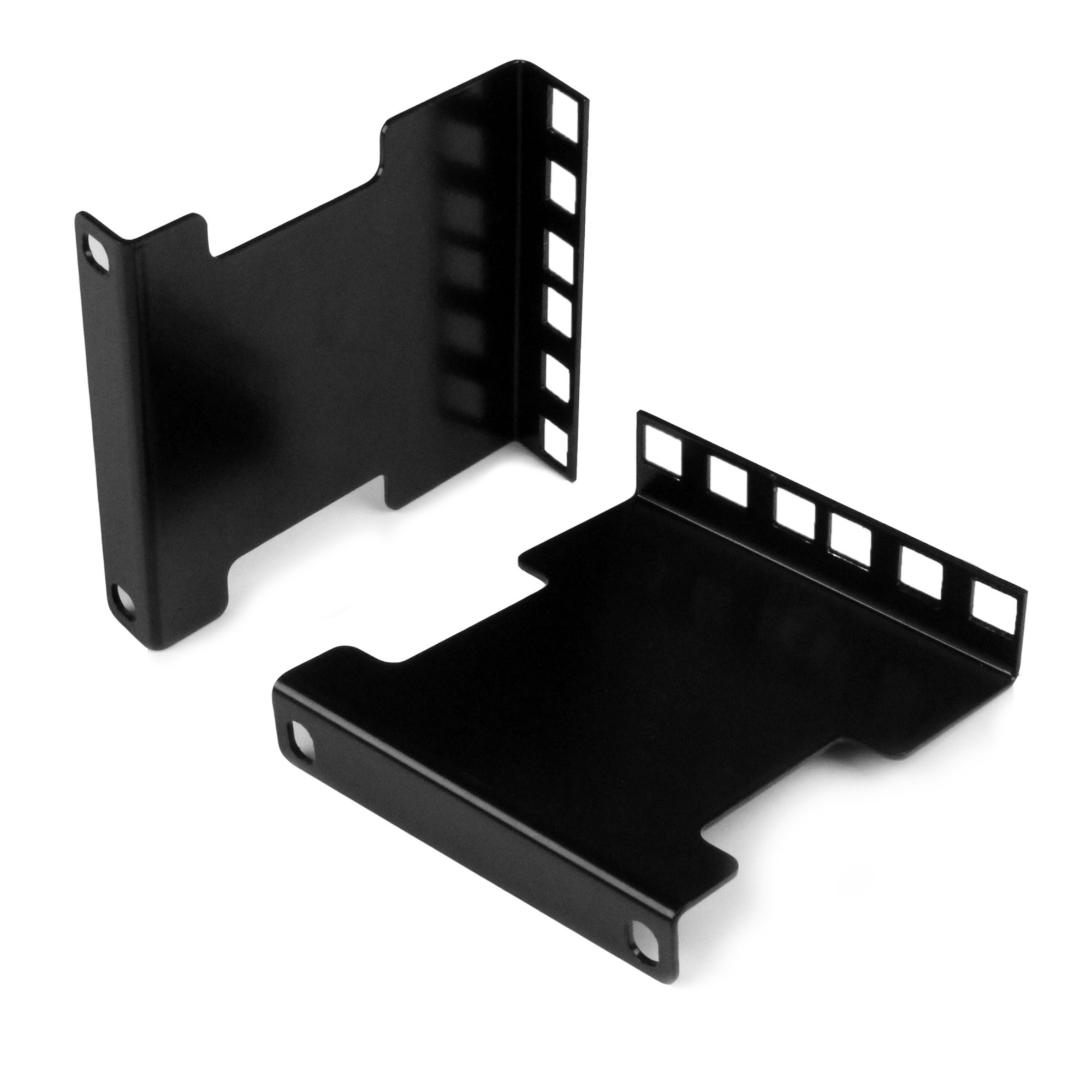
StarTech.com RDA2U StarTech.com 2U Server Rack Depth Extender Adapter Kit with 4” Adjustment
Rail Depth Adapter Kit | Recess or Extend | Universal | TAA CompliantThis server rack depth extender adapter kit extends or reduces the mounting depth of two units (2U) in your server rack by up to four inches. This TAA compliant product adheres to the requirements of the US Federal Trade Agreements Act (TAA), allowing government GSA Schedule purchases.Accommodate Varying Equipment SizesMount equipment in your server rack up to four inches longer or shorter than the rack's mounting depth and increase your rack’s storage capabilities. If using the 2U rack extender in a two-post installation, they can support a total weight load of 20 lb. (9 kg) and in a four-post installation, they can support a total weight load of 130 lb. (59 kg).Save MoneyWith this rail depth adapter kit, you can customize your server rack to support different mounting depths and consolidate your equipment into a single rack, eliminating the need to purchase different sized racks.Easily Manage CablesThe network rack extender kit can also help manage your cables. You can mount equipment four inches from the rails, to prevent cables from protruding from the rack. You can also mount equipment with high-density cabling to minimize the effects of cable strain and provide easier access to the cables.We offer a wide selection of products that help you to optimize your server rack storage space, to improve space efficiency, accessibility and convenience. This product is backed by a 2-year warranty and free lifetime North American based technical support.The StarTech.com Advantage
Part# RDA2U
SKU S19454
In
Stock
StarTech.com
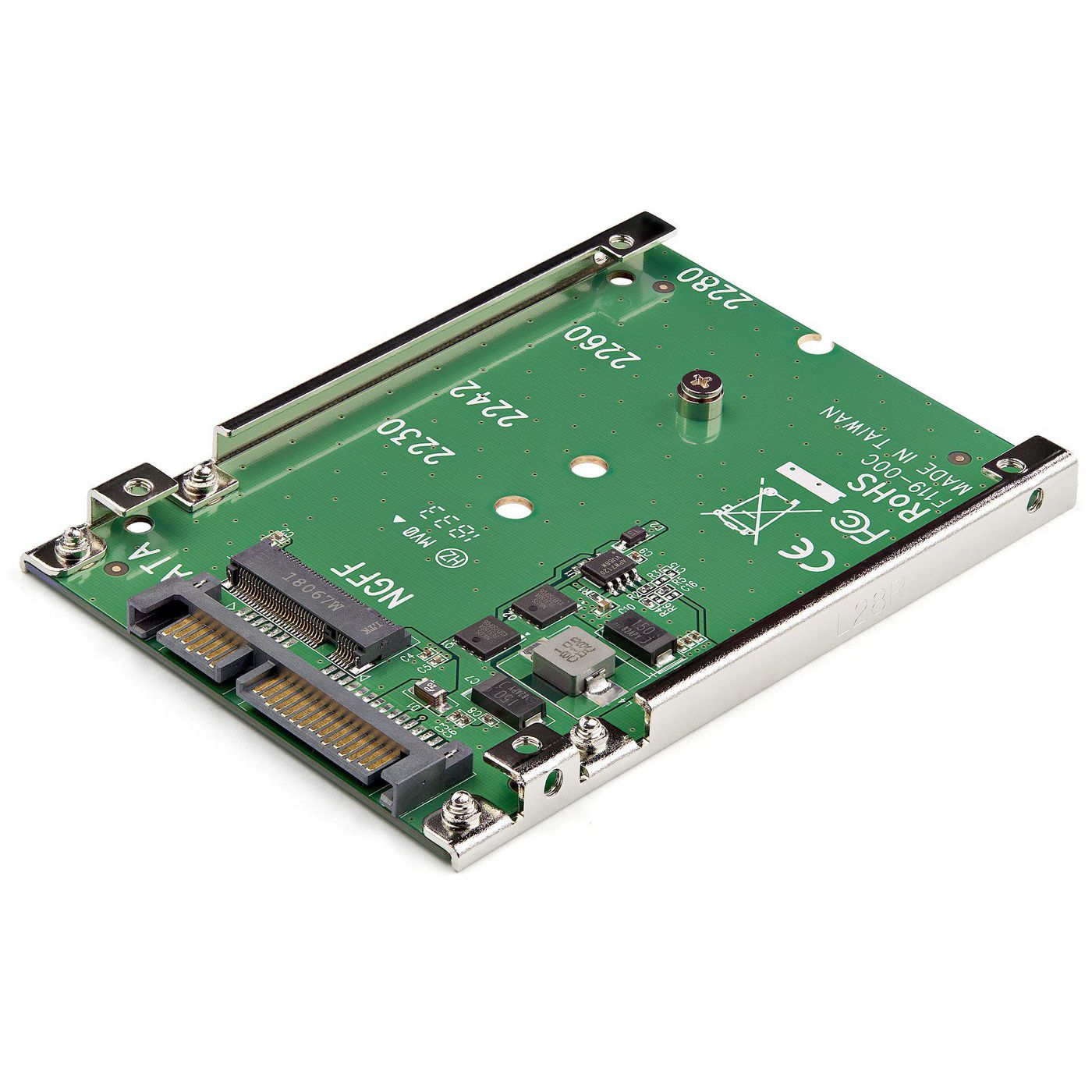
StarTech.com SAT32M225 StarTech.com M.2 SATA SSD to 2.5in SATA Adapter - M.2 NGFF to SATA Converter - 7mm - Open-Frame Bracket - M2 Hard Drive Adapter
M.2 SATA NGFF to 2.5 in. SATA | 7mm High | SATA 6Gbps | Open FrameVastly increase the performance of your system by adding the speed of an M.2 SATA SSD in any 2.5" SATA application, with this M.2 SATA SSD to 2.5in SATA adapter.Boost System PerformanceUtilize the full potential of your SATA III controller, with an M.2 SATA SSD, reducing your data transfer bottleneck with file transfer speeds up to 6Gbps. This M.2 SATA NGFF to SATA adapter can also save you money by reducing your power consumption over regular platter drives.Hassle-Free SetupThis M.2 SATA to 2.5 in. SATA adapter offers a fast an easy setup with no drivers to install. The mounting hardware is also included with the M.2 SATA SSD to SATA adapter for a quick installation.Open-Frame DesignThe M.2 SATA SSD to 2.5 in. SATA converter helps protect the health of your drive with an open-frame design that maximizes heat dissipation.SAT32M225 is backed by a StarTech.com 2-year warranty, and lifetime technical support.The StarTech.com Advantage
Part# SAT32M225
SKU S19454
In
Stock
StarTech.com
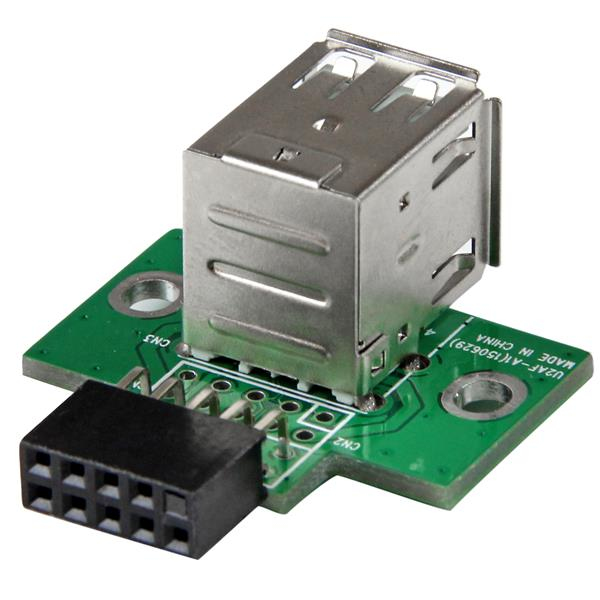
StarTech.com USBMBADAPT2 StarTech.com 2 Port USB Motherboard Header Adapter
This USB A to USB Motherboard 4-Pin Header plugs directly into a motherboard USB header, providing two standard USB A female ports.A cost-effective solution for any application requiring internal USB 2.0 female ports, including using a bootable USB flash drive as a SSD or collecting data in embedded applications.The StarTech.com Advantage- Converts a motherboard USB connector into two USB A Female ports- Easy to use and install- Backed by StarTech.com's lifetime warranty
Part# USBMBADAPT2
SKU S19454
In
Stock
StarTech.com
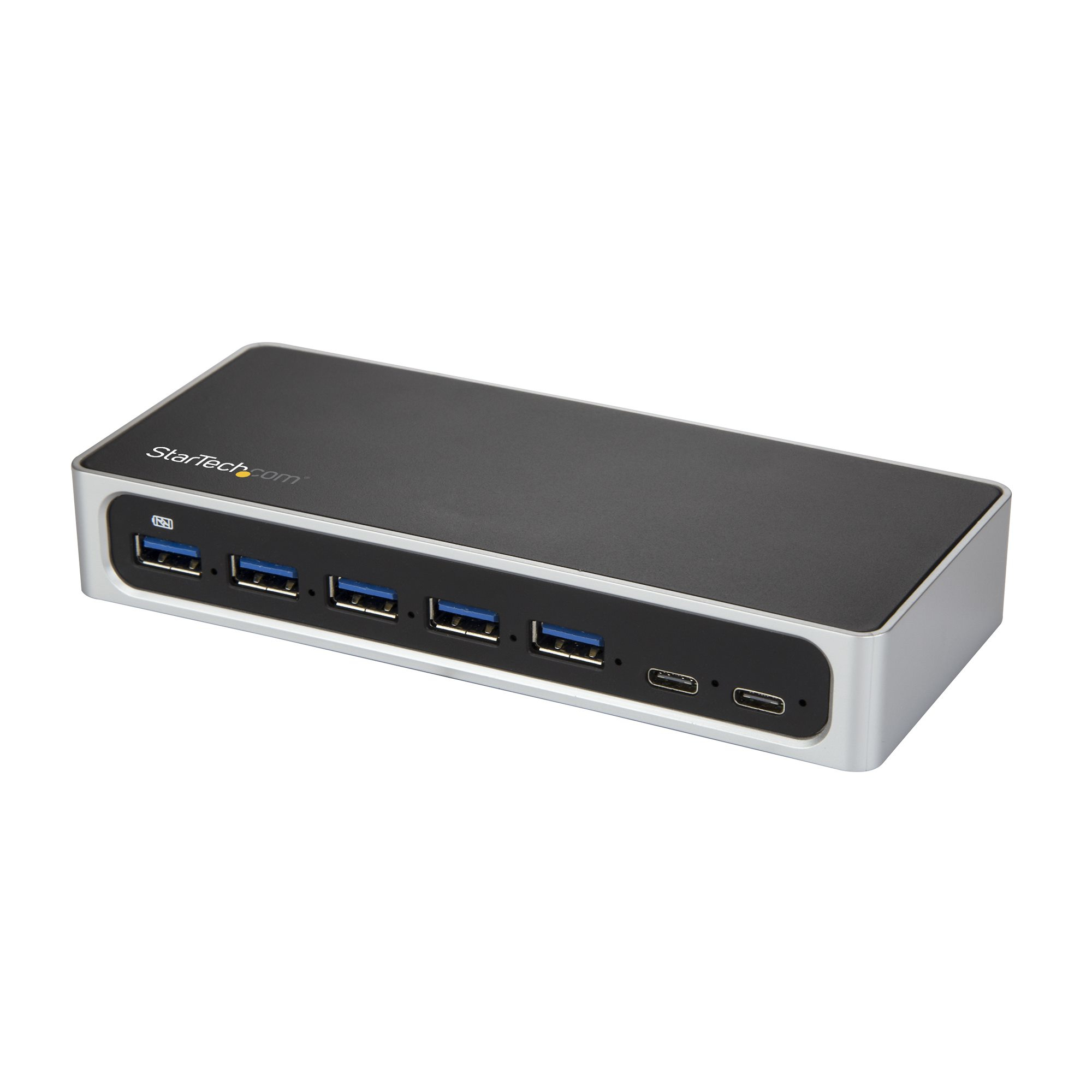
StarTech.com HB30C5A2CSC StarTech.com 7 Port USB C Hub with Fast Charge Port - USB-C to 5x USB-A 2x USB-C (USB 3.0 SuperSpeed 5Gbps) - Self Powered USB 3.2 Gen 1 Type-C Hub w/ Power Adapter - Desktop/Laptop Hub
Turn a USB Type-C port on your laptop into five USB Type-A ports (5Gbps) and two USB Type-C portsThis USB-C™ hub turns your laptop or desktop USB Type-C™ or Thunderbolt™ 3 port into four standard USB-A ports, one USB-A fast-charge port, and two USB-C ports. You can also extend the range of your USB devices by using this hub as a mid-point repeater.Connect more devices, quickly and easilyThe 7-port USB hub provides convenient port access. The extended length of the supplied cable offers the flexibility to position your hub and USB devices as needed, in order to create a comfortable, space-efficient work area. The ports are sufficiently spaced to plug or unplug your USB devices without needing to disconnect other devices from neighboring ports.With extra USB 3.2 Gen 1 ports, you can increase productivity and connect more devices to your computer, or avoid the hassle of swapping connected devices on your port-limited laptop.The hub lets you extend the life of your current USB 3.2 Gen 1 devices while also taking advantage of newer USB-C devices.Charge-and-sync your mobile devicesWith the available fast-charge port, the hub helps to ensure that your tablet or smartphone are charged and ready to use when you need them. You can also sync and access your device while it's charging. The USB-A charge port supports USB Battery Charging Specification 1.2.The HB30C5A2CSC is backed by a 2-year StarTech.com warranty and free lifetime technical support.The StarTech.com Advantage
Part# HB30C5A2CSC
SKU S19454
In
Stock
StarTech.com
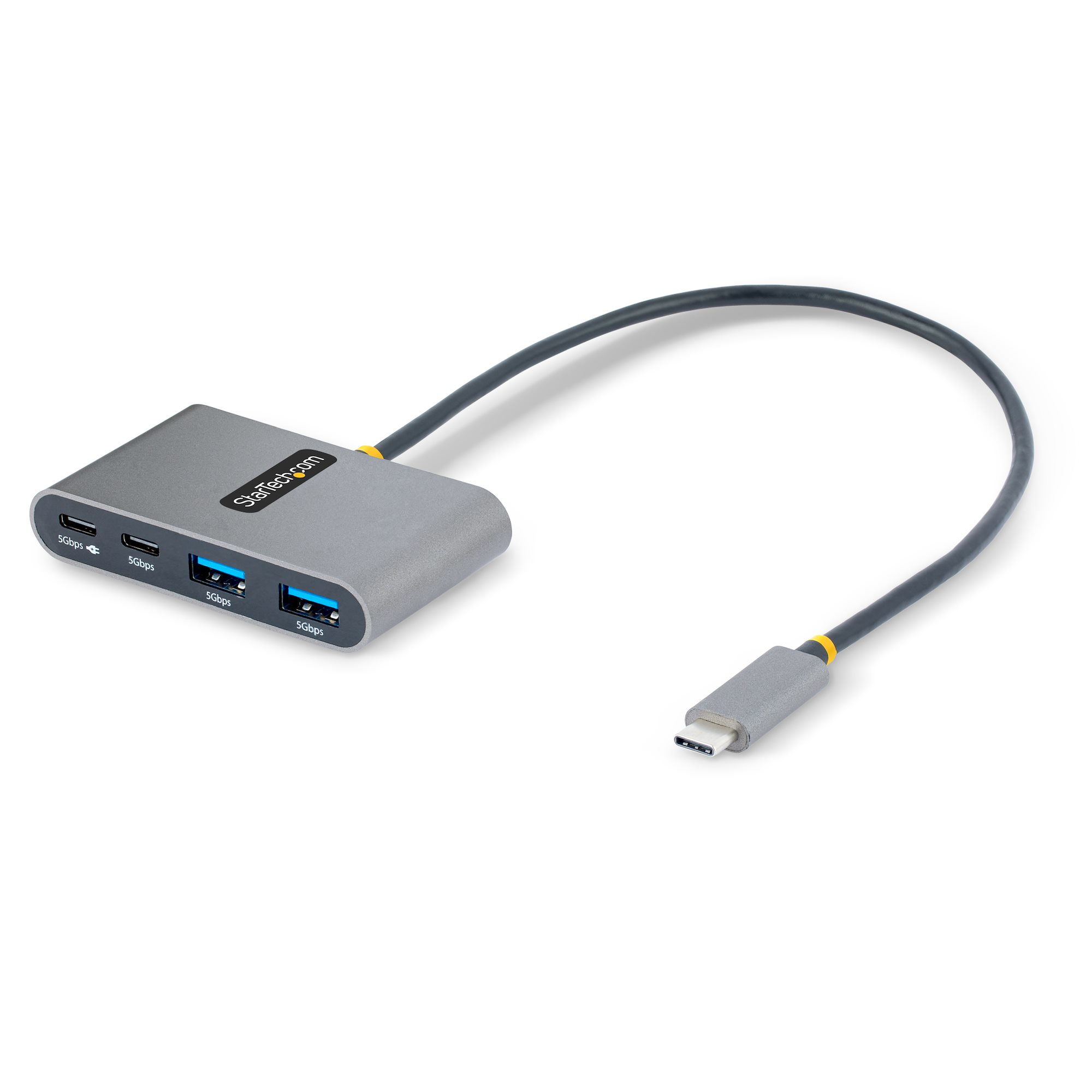
StarTech.com 5G2A2CPDB-USB-C-HUB StarTech.com 4-Port USB-C Hub with 100W Power Delivery Pass-Through - 2x USB-A + 2x USB-C - USB 3.0 5Gbps - 1ft (30cm) Long Cable - Portable USB Type-C to USB-A/C Hub
USB Type-C to 2x USB Type-A and 2x USB Type-C | USB 3.2 Gen 1 (5Gbps) | 100W USB Power Delivery Pass-ThroughThis USB-C Hub with 100W USB Power Delivery pass-through adds four USB 3.2 Gen 1 (5Gbps) ports (2x USB-A, 2x USB-C) to a USB-C enabled computer. Connect the USB hub to a USB-C port on a laptop, using the built-in 1ft (30cm) USB-C host cable. Charge a host laptop by connecting the host laptop's USB-C power supply to the USB Power Delivery (PD) 3.0 port. Backward compatible with USB 2.0 (480Mbps) devices ensures support for a wide range of modern and legacy USB peripherals (e.g., external storage devices - thumb drives, HDDs/SSDs, HD cameras, mice, keyboards, webcams, and audio headsets). The USB hub supports Wake on USB and is compact in size, facilitating portability when travelling.USB Power Delivery Pass-ThroughThis USB hub features USB Power Delivery 3.0 pass-through (up to 100W). This features enables the USB Type-C Hub to provide the option to use one of the downstream USB-C ports to connect a USB-C power source (up to 100W) to power and charge a laptop. PD 3.0 features Fast Role Swap (FRS) to prevent USB data disruption when switching power sources (USB-C power adapter to bus power).The USB Hub can operate with a USB-C power adapter connected or with bus-powered alone. It draws up to 15W of power from the USB-C host computer that's dynamically shared across the downstream ports. For added protection to this USB hub and the connected host device, the USB hub features Overcurrent Protection (OCP). OCP prevents faulty USB peripherals from drawing more power than is safely allocated.Plug and PlayThis device is compatible with all major operating systems, including Windows, macOS, ChromeOS, iPadOS, and Android. The Hub is automatically detected, configured, and installed upon connection to a host computer. This ensures automatic installation and setting configuration with any USB-C laptop, including Thunderbolt 3, Thunderbolt 4 and USB4 computers such as Apple MacBook (Intel/M1/M2), Lenovo X1 Carbon and Dell XPS. The built-in extra-long 1 ft. (30 cm) USB-C host cable ensures easy setup and reduces connector strain on 2-in-1 devices such as the Surface Pro 7, iPad Pro, HP Elite X2 and laptops on riser stands.Enhance Productivity and Device Management with the StarTech.com Connectivity Tools ApplicationDeveloped to improve performance and security, StarTech.com Connectivity Tools is the only software suite on the market that is compatible with a wide variety of IT connectivity accessories. The applicable software for this product is the USB Event Monitoring Utility. Use this utility to track and log any connected USB devices.For more information and to download the StarTech.com Connectivity Tools application, please visit: www.StarTech.com/connectivity-toolsThis product is backed for 2-years by StarTech.com, including free lifetime 24/5 multi-lingual technical assistance.The StarTech.com Advantage
Part# 5G2A2CPDB-USB-C-HUB
SKU S19454
In
Stock

Item(s) added to cart

