
 0
0
Benq
30 –
40
of
54
Availability
Sort by
Advance Filters
Benq
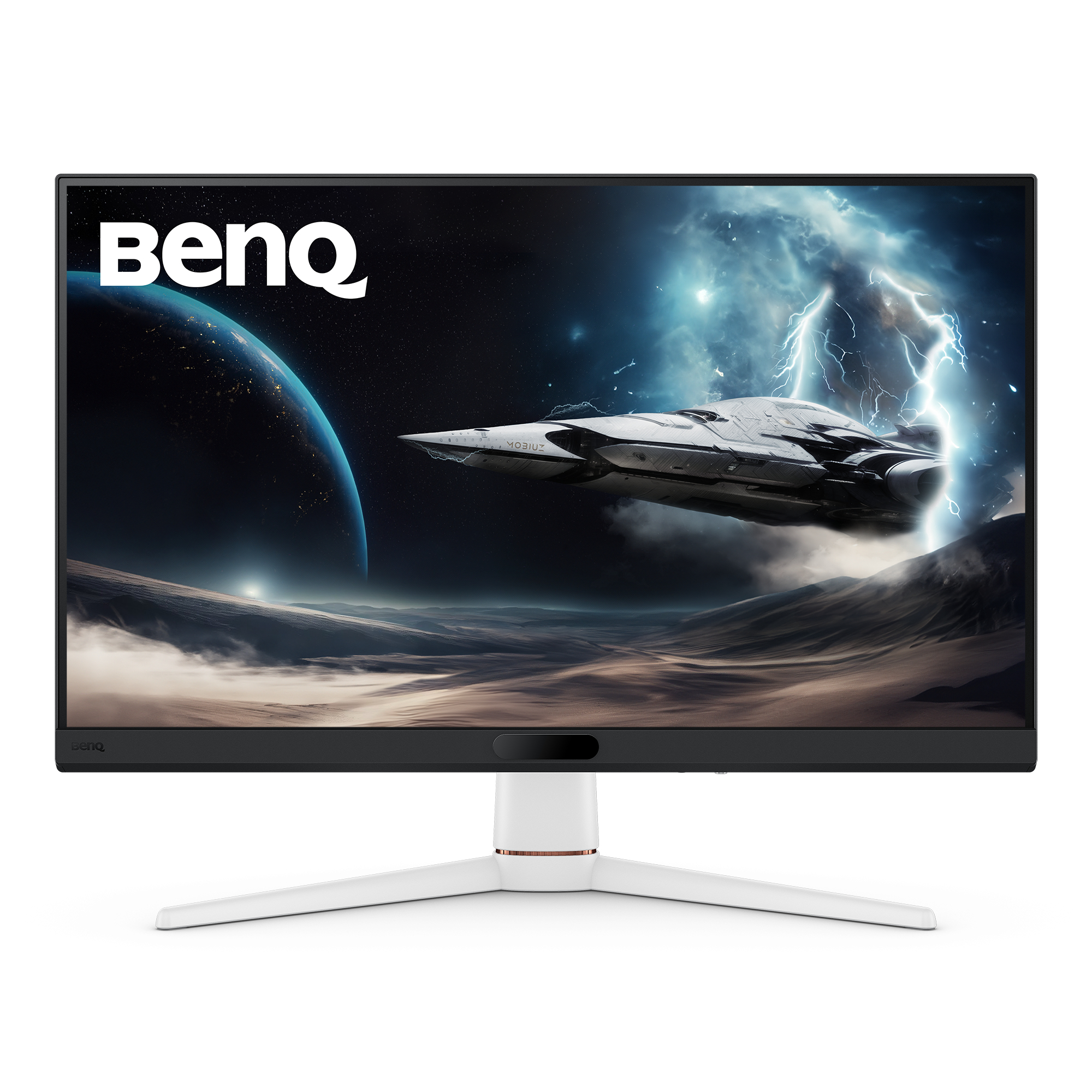
Benq 9H.LNALA.TBE BenQ MOBIUZ EX271 computer monitor 68.6 cm (27") 1920 x 1080 pixels Full HD LED Black, White
EX271|27” FHD BenQ 180Hz MOBIUZ Gaming MonitorThe Detail-Driven RevolutionExploring Detail, Beyond LimitsEmbark on a journey with MOBIUZ's exclusive smart visual detail refinement, uncovering surprises that others can't see!Venture into the Unknown with Gamer-Experienced ColorDive into a gaming world where color is felt, not just seen, with Gamer-Experienced Color, a revolutionary technology redefining game colors beyond traditional boundaries, turning every scene into a masterpiece of art and emotion. Developed through extensive testing and communication with gamers, Gamer-Experienced Color offers a vibrant world tailored to meet diverse preferences, ensuring each game is showcased in the most aesthetically pleasing palette.Fast Response and No TearingBenQ MOBIUZ Gaming Monitor EX271 equipped with 220Hz refresh rate, 1ms GTG, AMD Freesync, for fast response and no tearing. EX271 reduces blurring effects on the screen giving you silky smooth movement for a much more absorbing gameplay experience. BenQ MOBIUZ provides the ultimate in gaming visual experiences. You can also fine-tune your preferences with Color Vibrance and Light Tuner, bringing MOBIUZ multiverse to real life.Color VibranceFrom nature to vibrancy, arm your color by yourselfLight TunerBalance light and darkness to reveal those hiding in the shadowsColor, Audio, KVM, We Shuttle Them AllWelcome on board. Enjoy Color Shuttle's expert-defined color profiles and the BenQ’s first eARC monitor for an immersive audio-visual experience. Plug-and-play across consoles and all platforms with KVM. We have everything you need!Supercharge Your Game with Color ShuttleVarious authorized presets are tailored for the most popular games to boost the delicacy of your experience.Scenario Mapping for All Kinds of UseMOBIUZ’s exclusive Scenarios bundle color, audio, and eye-care settings across the system. Set up your favorite packages for different circumstances.Cutting-edge Design Mirrors the Seek Lines of a SpacecraftThe streamlined appearance with its sleek contours and employment of advanced materials, exudes a sense of speed and durability, seamlessly complementing your game consoles.Gaming Comfort for Prolonged SessionsFlexibly adjust the monitor’s tilt to achieve the comfort level for you.Eye-Care Technology for Game PlayingEye-Care Technology makes it easy on the eyes for greater comfort during long gaming sessions.B.I. +Brightness Intelligence Plus automatically adjusts the display brightness and color temperature for a more comfortable viewing experience.Flicker-Free™Flicker-Free™ eliminates screen flicker during extended viewing. TÜV Rheinland has certified the EX271 Flicker-free™.Low Blue LightLow blue light technology filters harmful blue light to protect your eyes. TÜV Rheinland has certified the EX271 Low Blue Light.BenQ’s Green Commitment: A Vision of SustainabilityBenQ prioritizes eco-friendly practices in our product development, underlining our commitment to sustainability. BenQ MOBIUZ Gaming Monitors incorporate eco-friendly technology, recycled materials, and energy-efficient design.85% PCRThe housing of monitors is made with 85% PCR (Post-Consumer Recycled) materials, contributing to environmentally conscious production practices.Recyclable Cardboard PackingWe package our monitors in fully recyclable cardboard, minimizing our environmental impact and promoting eco-friendliness.Auto Power OffThe Auto Power Off feature allows users to automatically power down the screen after 10, 20, or 30 minutes of inactivity, conserving energy and further promoting sustainability.
Part# 9H.LNALA.TBE
SKU S19454
In
Stock


Benq
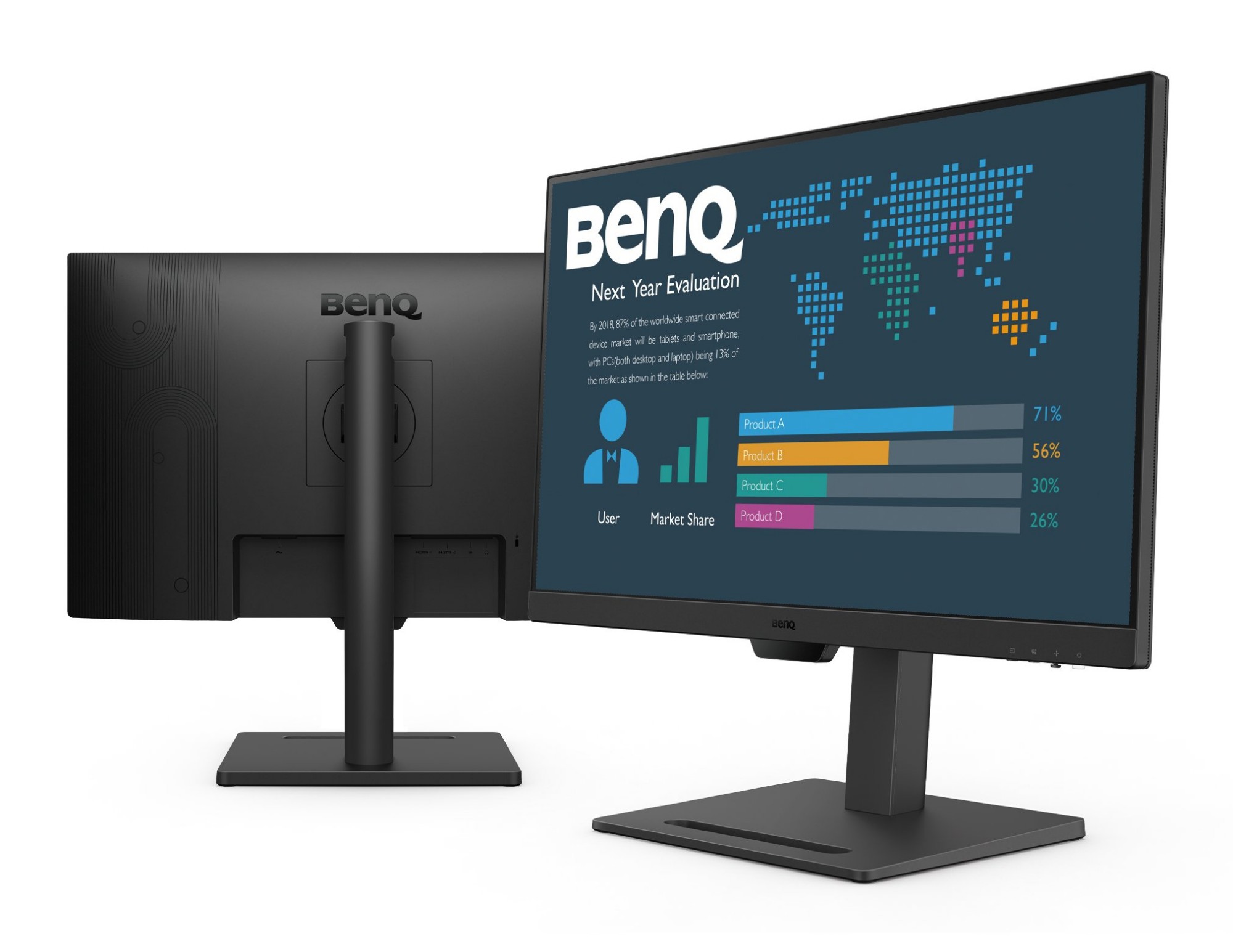
Benq 9H.LMGLJ.LBE BenQ BL2790T computer monitor 68.6 cm (27") 1920 x 1080 pixels Full HD Black
One Click to Switch Between DevicesStay effortlessly connected to your daily devices with multiple ports and make switching between activities easy with only one click. Streamlining your journey from every input source for your preferred setup has never be easier.Adjust for Better EfficiencyThe monitor features tilt, pivot, swivel, and height adjustment allowing you to customize your setup to work comfortably and productively throughout the day.Seamless Viewing: 100Hz Smooth MotionThe 100Hz refresh rate gives you a smoother and more comfortable viewing experience for webpage reading, video streaming, etc.Color Modes for MultitaskingWith Coding Mode and ePaper Mode, you have even more options for different work scenarios enabling effortless readability and eye comfort.Lasting Well-Being for Your EyesBenQ Eye-Care technologies safeguard your eye health with multiple features, ensuring that you see every image with clarity and comfort.
Part# 9H.LMGLJ.LBE
SKU S19454
In
Stock
Benq
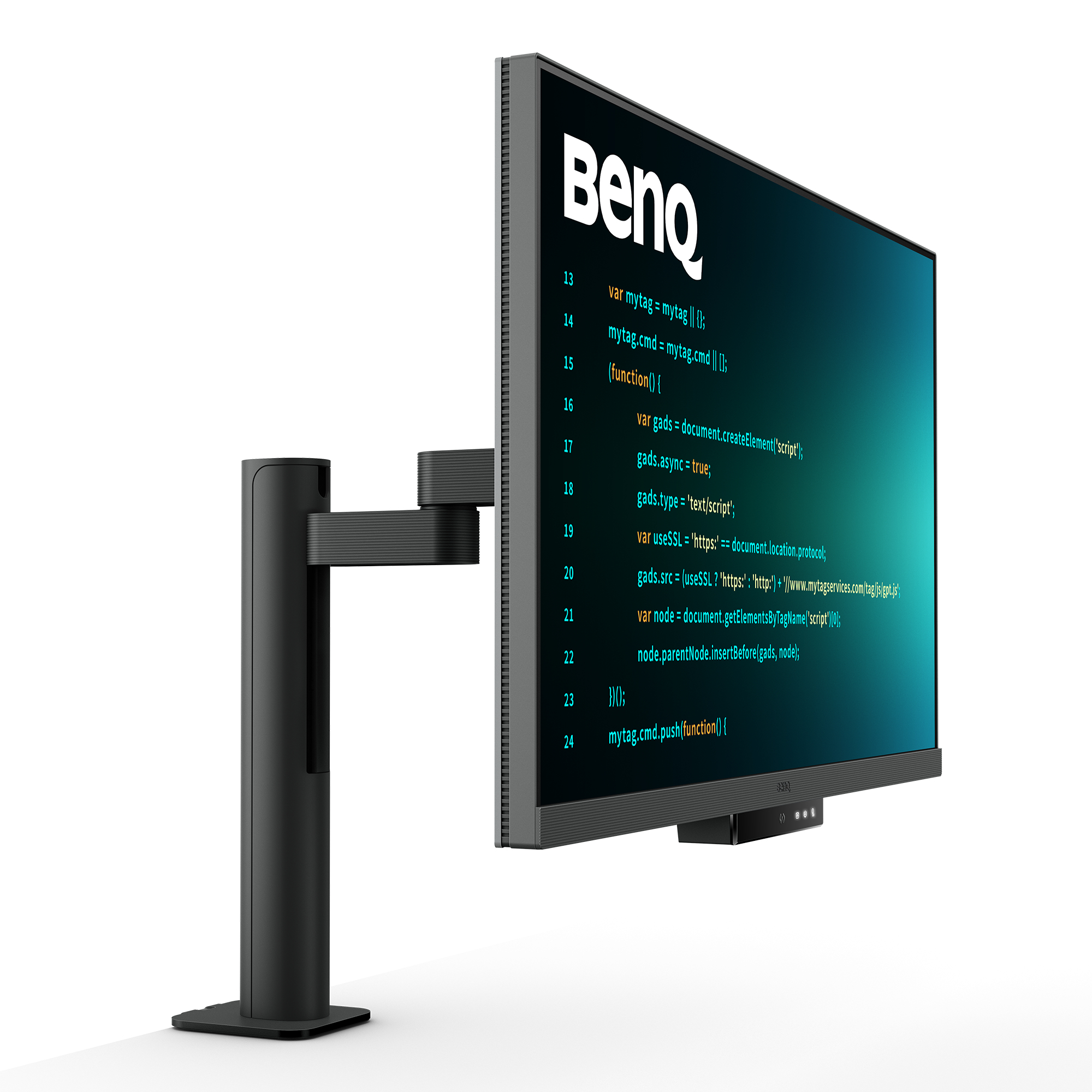
Benq 9H.LMTLA.TBE BenQ RD320UA LED display 80 cm (31.5") 3840 x 2160 pixels 4K Ultra HD Black
RD320UA|32” 4K BenQ Programming Monitor with MoonHalo and Flexible ArmAstonishing Clarity for the Ultimate Coding ExperienceDisplay Clarity Powers ProgrammingIlluminate your logic and ship code with perfect focus.Absorb Your Code AnywhereCrafted for Programmers:BenQ Programming Monitor lets you fully absorb your code, wherever you are.Enter the Coding Flow in SecondsEnter the coding flow in seconds with BenQ Nano Matte Panel. Featuring a low reflection property to minimize distractions, this advanced technology enhances focus and boosts productivity, delivering unparalleled clarity for peak performance. Elevate your coding experience and unlock your full potential with BenQ.2000:1 Contrast Ratio for Clearer Code and Stunning VisualsExperience unparalleled clarity with a 2000:1 contrast ratio. Enjoy deeper blacks and high contrast with a premium 4K display for coding, movies, and gaming, ensuring exceptional visual performance. This enhancement not only improves image quality but also increases overall immersion, providing a more engaging and captivating experience.Ignite Night Coding InspirationWhether you prefer working in a soft, ambient glow, complete darkness during late-night hours, or complete darkness during late-night work, we've got you covered for long-lasting eye care.Effortless Comfort with Night Hours ProtectionBenefit from minimum brightness technology for reduced eye strain, discover enhanced eye protection during night hours and dark room usage with our Night Hours Protection. Its intelligent ambient light detection and auto-switch capabilities require minimal user intervention, ensuring effortless and consistent eye care.Experience Focus Anytime with MoonHaloExperience MoonHalo by BenQ – a seamless blend of immersive illumination and comforting ambiance. With customizable color temperature, brightness, and light modes, along with Auto Dimming powered by B.I. Gen2, MoonHalo ensures optimal eye protection and focus, anytime whether you're working from home or the office.Designed for Coding ExcellenceExclusive Coding Modes Boost ProductivityBenQ's advanced coding modes deliver clear fonts and better code differentiation, reducing eye strain. Choose from dark and light themes and easily adjust brightness, sharpness, and contrast for optimal coding.Instant Coding with Hotkey and Function BarEffortlessly boost productivity with our unique Coding HotKey and Function Bar designs. With a swift press of the Coding HotKey at the heart of the function bar, immerse yourself instantly into the coding realm.Infinite Desk Flexibility for ProgrammersBenQ Ergo Arm enhances flexibility and provides the optimal screen position for a more comfortable and productive user experience.Optimal Posture, Superior OutputRelieve prolonged neck and body aches. BenQ Programming Monitors prioritize your comfort for long-term projects and support pivot and VESA mounting.Ergo Arm Stand : Elevating Coders' Desks with Infinite FlexibilityBenQ Ergo Arm enhances flexibility and provides the optimal screen position for a more comfortable and productive user experience.Quick Connectivity with Easy Plug and PlayBenQ Programming Monitor offers ample port options, including USB Type-C for all-in-one connectivity, meeting your multitasking needs.Unified Integration with KVM SwitchingMaximum efficiency through unified integration with diverse devices and built-in KVM (keyboard, video, mouse) for seamless source switching.Daisy Chain with the 90W USB Type-CMulti-Stream Transport Technology allows you to extend screens across multiple displays using the USB Type-C. The 90W USB Type-C carries images, videos, and other data seamlessly and charges your mobile devices simultaneously with one cable.Please note that Mac® and MacBook® devices only support daisy chaining via Thunderbolt. Daisy chaining is not supported via HDMI or using regular USB ports on any device. Also, you can only connect a single external display using a Mac device with the M1 or M2 chips. For more information about connecting different models of Mac devices to external displays, please refer to the Apple website. Effortless Multi-Device Display with PIP/PBP and DualView PlusDualView Plus simplifies multi-device displays by letting you customize color modes across applications or windows. With support for PIP and PBP, you can easily manage dual-source or single-source viewing.Optimize Productivity with PIP and PBPPIP (Picture-in-Picture) and PBP (Picture-by-Picture) efficiently optimize screen space. PIP overlays a secondary window for multitasking, while PBP splits the screen to display content from multiple sources, boosting productivity.DualView Plus Displays Versatile Color ModesDualView Plus with PIP/PBP not only displays dual sources simultaneously but also allows different color modes for each screen.Set Displays with Mouse and Keyboard via Display Pilot 2Display Pilot 2 caters to your needs, allowing easy arrangement of functions like MoonHalo, Night Hours Protection, and Auto Pivot. Display Pilot 2 for the BenQ programming series also offers software features specifically designed for programmers, including FloW, Shortcuts, Desktop Partition, Application Mode, Software Dimming, and Circadian Mode.FloW Tailored Screen Performance for Your DayWe understand your need for precise planning. By learning your habits, BenQ RD320UA’s FloW will seamlessly adapt to your needs, transitioning between different scenarios and based on preset schedules to support your busy day.Easily Adjust Built-in MoonHalo LightWith Display Pilot 2, MoonHalo seamlessly syncs with your monitor for easy adjustments of switch, brightness, color temperature, light mode, and non-stop mode.Circadian Mode for All-Day Comfort and Soothing AmbianceBenQ Low Blue Light Plus includes Circadian Mode, which automatically adjusts your screen's color temperature throughout the day, mirroring the natural sunrise-to-sunset cycle. Enjoy eye comfort worry-free.Assign Different Modes to ApplicationsApplication Mode makes it easy to assign different color modes and remembers your frequently used settings for upcoming applications.Customizable Desktop Partitions for Your WorkspaceLaunch Desktop Partition and drag the application you're working with into partitions by using preset templates or by customizing your own layouts.Double Your Coding Speed with ShortcutsDisplay Pilot 2 now stores an additional set of copy-and-paste functions, enhancing coding efficiency. Additionally, BenQ’s exclusive Shortcuts allow quick access to pre-set keyboard shortcuts for specific common functions.Keep Your Eyes Fatigue-FreeExperience unmatched eye comfort with our Brightness Intelligence Gen2. BenQ Eye-Care Technology is dedicated to enhancing your visual comfort.Brightness Intelligence Gen2BenQ B.I. Gen2 emphasizes automatic detection of environmental brightness for automated screen brightness adjustments, while also providing the option for manually fine-tuning the brightness.TUV Certified:Reflection-Free for Clear CodingTÜV Reflection Free Certificated ensures coding with minimized distractions. Global safety authority TÜV Rheinland also certifies RD320UA's Low Blue Light as truly friendly to the human eye. Eyesafe 2.0 certification ensures that the display reduces blue light while maintaining vivid color.BenQ’s Green Commitment : A Vision of SustainabilityBenQ prioritizes eco-friendly practices in our product development, underlining our commitment to sustainability.85% PCRThe housing of monitors is made with 85% PCR (Post-Consumer Recycled) materials, contributing to environmentally conscious production practices.Recyclable Cardboard PackingWe package our monitors in recyclable cardboard, minimizing our environmental impact and promoting eco-friendliness.Auto Power OffThe Auto Power Off of our feature allows users to automatically power down the screen after 10, 20, or 30 minutes of inactivity, conserving energy and further promoting sustainability.EcoPrivacySave power and safeguard screen privacy effortlessly with our feature that automatically dims your monitor during inactivity.
Part# 9H.LMTLA.TBE
SKU S19454
In
Stock
Benq
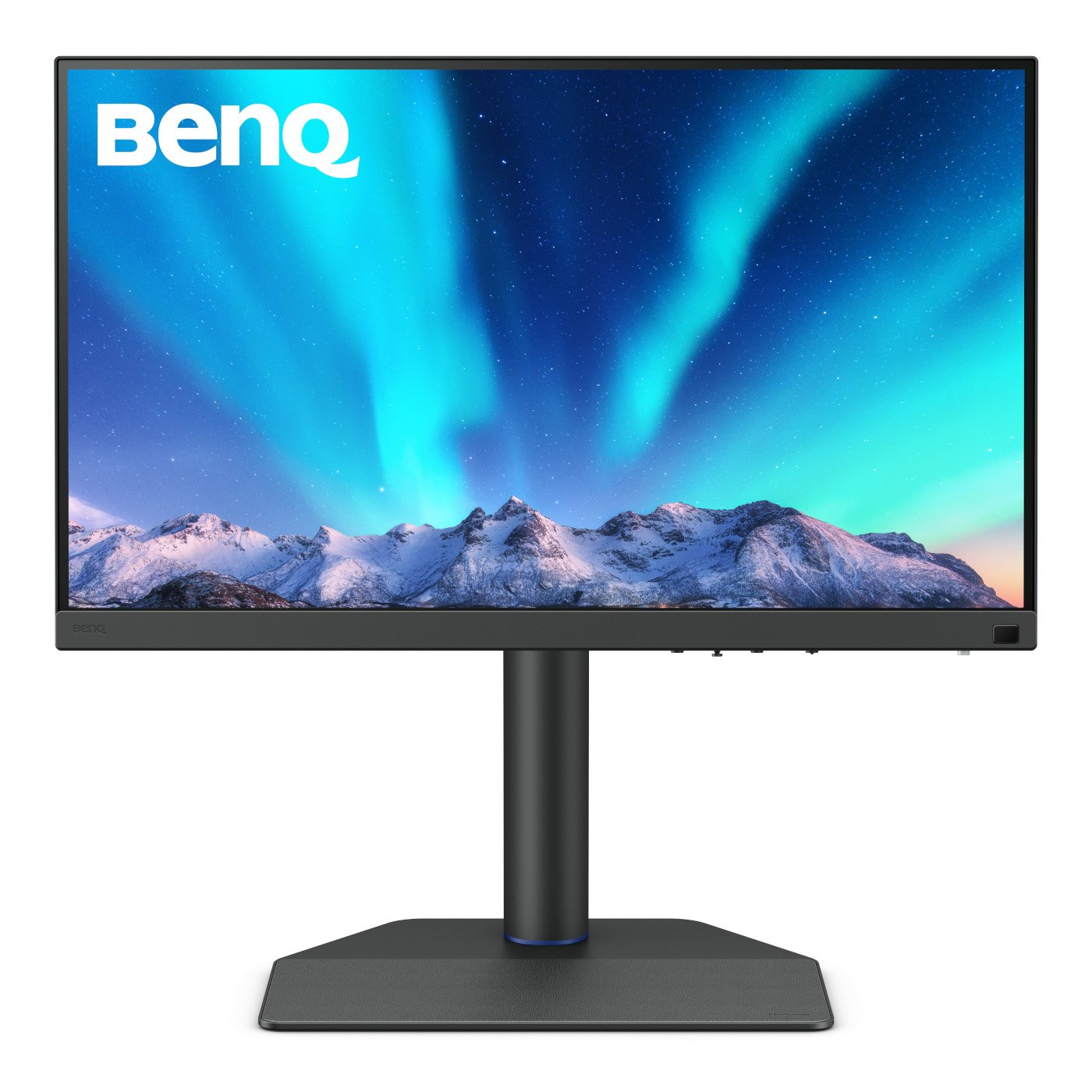
Benq 9H.LLFLB.QBE BenQ SW272U computer monitor 68.6 cm (27") 3840 x 2160 pixels 4K Ultra HD LCD Black
SW272U│27-inch 4K AdobeRGB 90W USB-C Photographer MonitorMake the Moment Alive with True ColoursExclusive Screen-to-Print SolutionBenQ Fine-Coated Panel for reflection-free performance results in a simulated-texture screen effect which, in conjunction with Paper Colour Sync software, delivers industry-leading screen-to-print results as the ultimate platform for accurate photo editing and reliable soft proofing.Fine-Coated Panel for Reflection-free RetouchingCertified with TUV Rheinland Reflection-Free Certifications, SW272U utilizes Fine-Coated anti-reflection panel to eliminate glare and reflection for simulated paper-texture visual experiences on screen under different types of ambient lighting to get perfect results.Fine-Coated Panel for Precise Soft-proofingOffering the finest creative experiences with color consistency to simulate paper texture on-screen, and Paper Color Sync for accurate printed output, BenQ achieved unparalleled color performance beyond the industry standard.The AQCOLOR AdvantageThis means colours are displayed precisely as they are meant to. Led by a colour expert, the BenQ team took part in the ICC* and ISO** to establish colour-related standards and implementation guidelines. With Delta E ≤ 1.5 and BenQ ICCsync, the SW272U offers out-of-the-box and easy-to-reach colour accuracy. The 16-bit 3D lookup table (LUT) improves colour blending for precise colour reproduction.* International Colour Consortium **International Organization of StandardizationThird-Gen Uniformity TechnologyCreate with confidence. Enjoy consistent colour accuracy and brightness consistency throughout each panel.Calman Verified, Pantone Validated, and 3rd-Party Video Calibration Software SupportedBenQ PhotoVue monitors are accredited with Calman Verified, Pantone Validated and Pantone SkinTone Validated certifications. Creative professionals demand colour excellence, and BenQ delivers. Moreover, the SW272U supports world-leading video calibration software, Calman and ColourSpace. Adjust your display's 3D LUT (Lookup Table) for accuracy and consistency at all levels.Pantone Connect PremiumGo digital with BenQ, the first brand to work with Pantone on a mobile app. As an existing owner or a new purchaser of BenQ professional monitors, you get one year of free Pantone Connect Premium for digitally mobile colour consistency and accuracy.The software for Hardware CalibrationPalette Master UltimateTune and maintain the colour performance of your monitors with Palette Master Ultimate software and get the optimal colour consistency in 3 steps.Your Best Choice for Precise-colour ManagementRealized Outputs As the Way You IntendedWhether you're retouching photos in Adobe RGB or editing 4K videos in DCI-P3, SW272U’s wide colour coverage showcases your talent, letting your finished work look the way you intended.Paper Color SyncPaper Color Sync offers simulated images attuned to the color settings, printer, and photo paper in use for easy and accurate photo preview before print.GamutDuo Preview for Adobe RGB, sRGB, and morePreview the same image in two color gamuts, side-by-side, for comparison in photo editing.P3 Color Preview for Digital OutputsDeliver accurate colors to videos with P3 color space for your video projects.Video Format SupportSW272U helps pros get the best video results with HDR support and multiple video formats.Select SDI to HDMI Device CompatibilityBenQ has tested select SDI to HDMI devices as compatible with SW272U. Videographers can thus connect their SDI devices to the monitor for stable and non-compressed signal transmission and real quality video image.*Black Magic Teranex Mini SDI to HDMI 12G, Black Magic Micro Converter SDI to HDMI, Black Magic DeckLink 4K Extreme 12G, AJA Hi5 12G, AJA KONA5HDR10 and HLGThanks to SDI to HDMI Device Compatibility, the SW272U is also HDR10- and HLG-compatible, making it perfect to preview the HDR effect of video content during the editing process.Chroma Sampling Support for Video FormatCombined with the above video format compatibilities, SW272U supports 4:4:4, 4:2:2, and 4:2:0 sampling in determining monitor fidelity.Hassle-free Work Environment for EfficiencyExpand Your EfficiencyQuick to transfer various data and deliver power.Hotkey Puck G3Cordless for unlimited convenience.Convenient DesignEasy to access OSD, I/O port, and card reader efficiently.Leatherette BaseSave the workspace for valuable items.The Pursuit of Perfection Never Ends
Part# 9H.LLFLB.QBE
SKU S19454
In
Stock
Benq
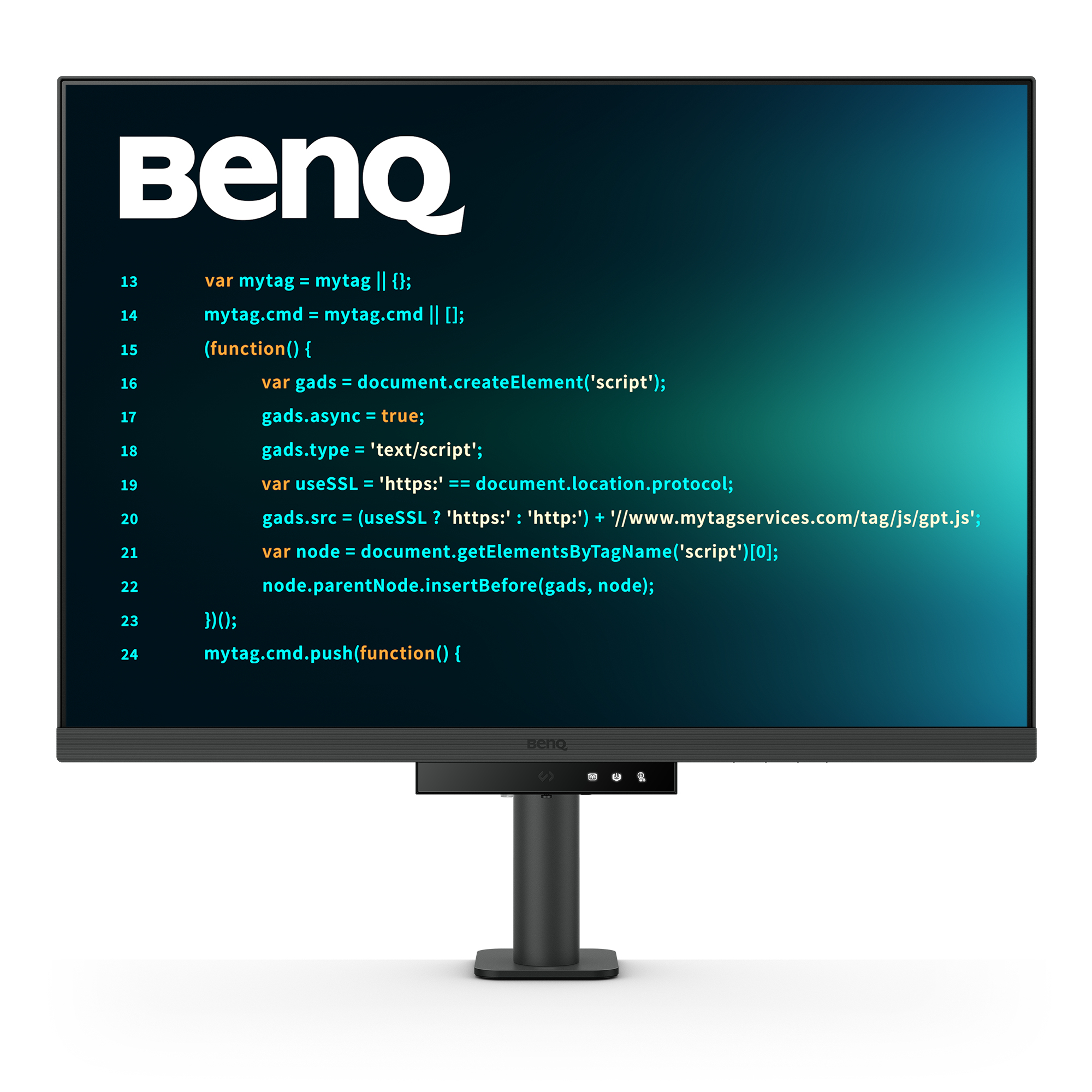
Benq 9H.LM2LJ.TBE BenQ RD280UA computer monitor 71.6 cm (28.2") 3840 x 2560 pixels 4K Ultra HD Black
BenQ RD280UA. Display diagonal: 71.6 cm (28.2"), Display resolution: 3840 x 2560 pixels, HD type: 4K Ultra HD, Response time: 5 ms, Native aspect ratio: 3:2, Viewing angle, horizontal: 178°, Viewing angle, vertical: 178°. Built-in speaker(s). Built-in USB hub, USB hub version: 3.2 Gen 1 (3.1 Gen 1). VESA mounting, Height adjustment. Product colour: Black
Part# 9H.LM2LJ.TBE
SKU S19454
In
Stock
Benq
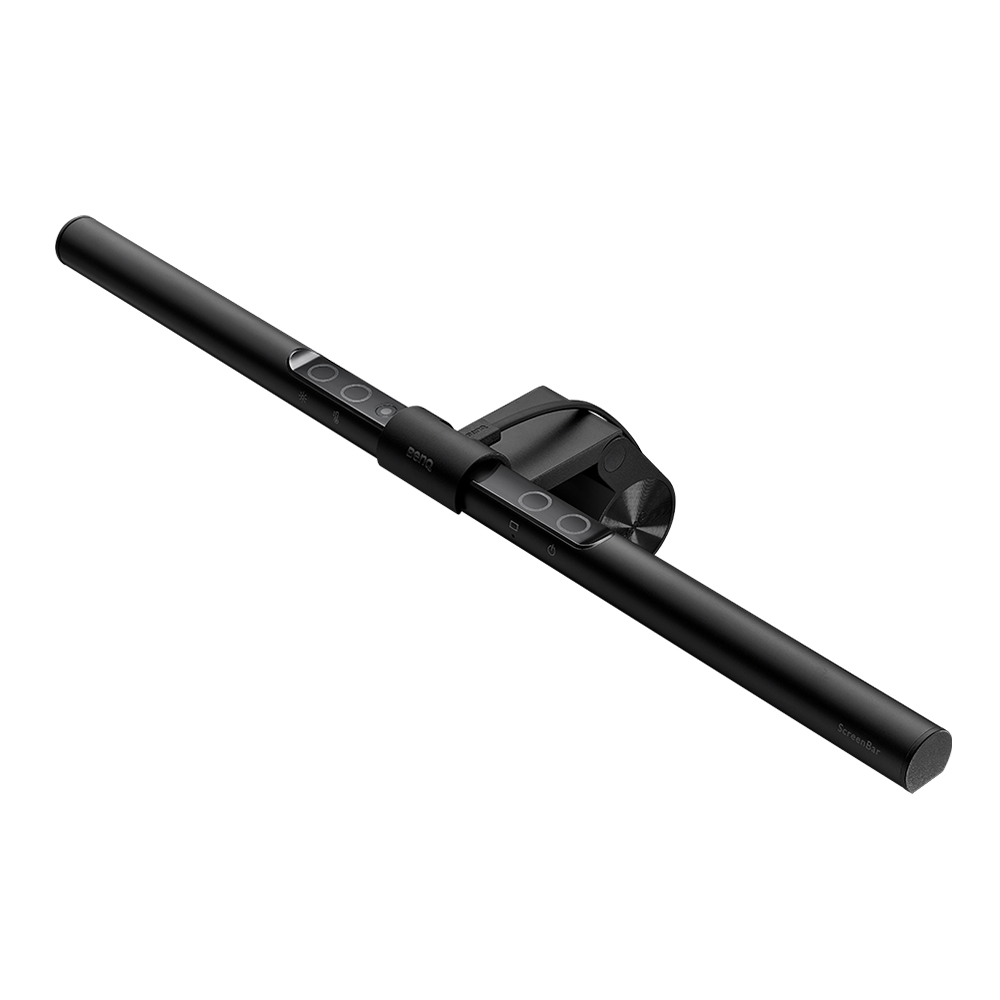
Benq 9H.W42WT.EQ2 BenQ Screenbar Monitor monitor light Black 2 930 lm
BenQ Screenbar Monitor. Housing colour: Black, Housing material: Aluminium, Polycarbonate (PC), Luminous flux: 930 lm. Power source: USB, DC voltage: 5 V, Current: 1 A. Width: 450 mm, Depth: 92 mm, Height: 90 mm. Package weight: 940 g
Part# 9H.W42WT.EQ2
SKU S19454
In
Stock
Benq
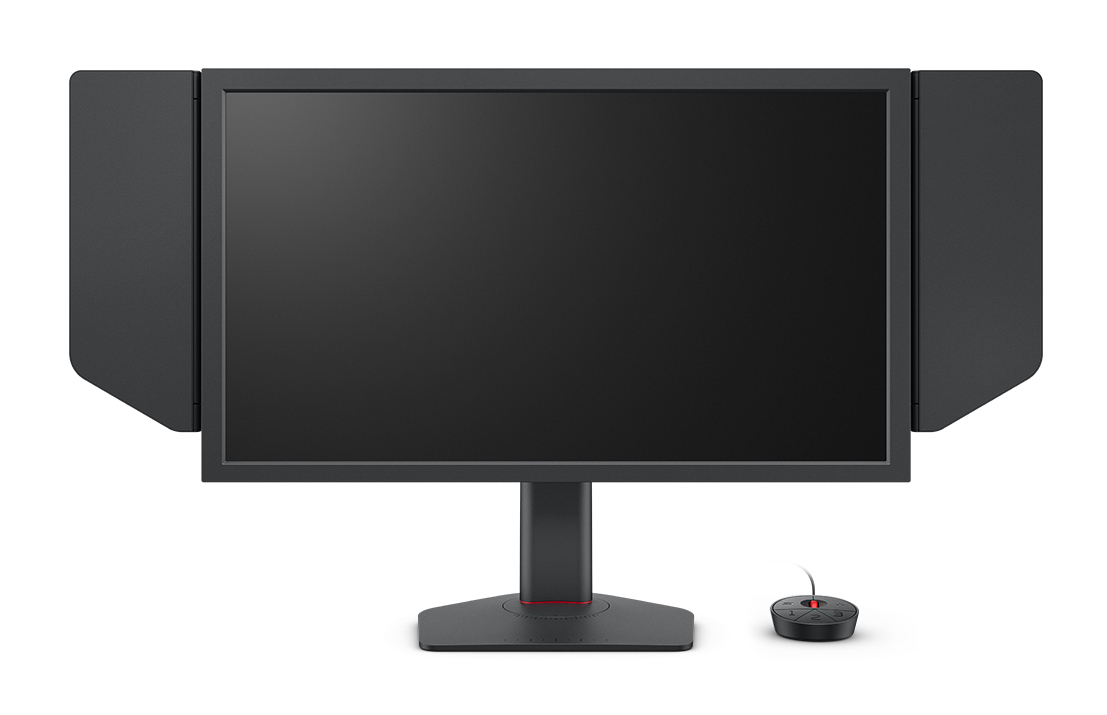
Benq 9H.LN8LB.QBE BenQ ZOWIE XL2586X+ computer monitor 61.2 cm (24.1") 1920 x 1080 pixels Full HD Black
XL2586X+ Gaming Monitor for EsportsBest-in-Class Motion Clarity – The Top Choice for Global FPS Tournaments.Designed for FPS players — Optimized for FPS gamesThe Best Motion Clarity in the IndustryCompared to a typical OLED panel, a Fast TN panel with DyAc technology provide clearer and sharper moving images helping you focus and avoid the distraction of unwanted afterimages caused by rapid motion.Sharpest and Clearest VisualsAt the resolutions most commonly used by pro players (1280x960 for CS2 and 1920x1080 for VALORANT), our Fast TN panel with native FHD resolution provides better image sharpness due to different pixel arrangement, making it easier to identify the outlines of enemies.Fast TN Improvement for EsportsOvershoot Reduced with Newly Developed Fast TN PanelThis newly developed panel applies faster electrical conductivity design, enhancing responsiveness of the liquid crystal and reducing the overshoot more effectively.Vivid Color FilmXL2586X+ uses a new vivid color film and improves color performance by 35%. This primarily enhances your ability to distinguish enemy targets from the background; and improves the color wash-out on a regular TN panel.Latest DyAc™2(Dynamic Accuracy Technology)Best-in-Class Motion ClarityThrough ZOWIE’s exclusive panel hardware design, DyAc/DyAc⁺/DyAc™2 provide best in-class motion clarity and better overall visual experience.New Dual Backlight DesignWith its dual backlight technology, DyAc™2 enhances performance in blur reduction while it offers a soft light output, facilitating eye adaptation.New Auto Game Mode Automatically Adjusts Color ModesAutomatically switches color modes among different games and use scenarios, providing optimal match of the content with visual performance.Comfort & AdjustabilityNew monitor stand incorporates industrial-grade bearings into the height adjustment mechanism, allowing easier and smoother adjustment to preferred height.
Part# 9H.LN8LB.QBE
SKU S19454
In
Stock
Benq
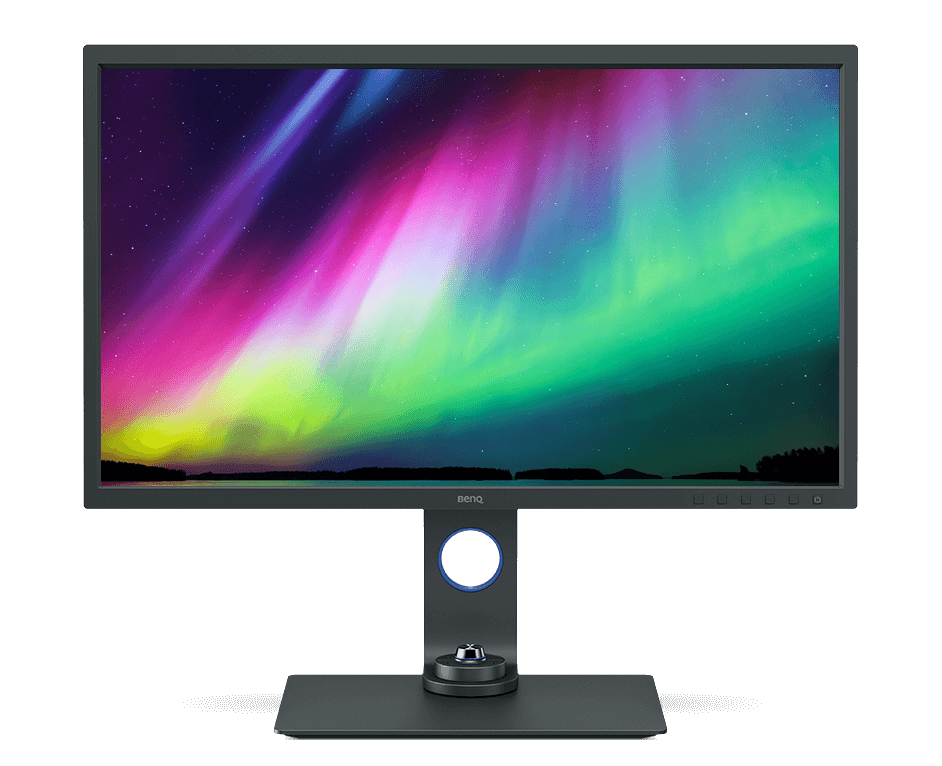
Benq 9H.LJ1LB.QPE BenQ SW321C computer monitor 81.3 cm (32") 3840 x 2160 pixels 4K Ultra HD LED Grey
The AQcolor AdvantageBenQ AQcolor technology delivers 'Accurate Reproduction.' This translates to the display of color precisely as it is intended to appear. Led by a color expert, the BenQ team took part in the ICC and ISO to establish color-related standards and implementation guidelines.Gold Standard Color PerformanceSW321C meets the most exacting standards. Incredible color coverage and remarkable color consistency get gold standard results.Realistic ResultsCapture nature's beauty. SW321C meets high color standards by covering 99% Adobe RGB, 100% sRGB/Rec. 709, and 95% DCI-P3/Display P3.Color PrecisionThe 16-bit lookup table (LUT) improves color blending for precise reproduction. Delta E ≤ 2 in Adobe RGB and sRGB color spaces assures accuracy.10-bit Color DepthAccess more than one billion colors, natural shading, and smooth color gradations with SW321C’s 10-bit panel.Uniformity TechnologyBenQ Uniformity Technology delivers corner-to-corner authentic color and consistent luminescence. The display is divided into sub-regions and meticulously fine-tuned for precision. This innovative tech assures dependable image integrity.Multiple Monitor ConsistencyBenQ ensures monitors from different production lines will display color at identical levels. Photographers and videographers will perceive consistent colors when working on dual monitors.Hardware CalibrationAdjust the internal image processing chip without changing the graphics card output data. Displayed images match the original content without impact from the graphic card setting.Palette Master Element Calibration SoftwareUse Palette Master Element and a calibrator to customize color settings or maintain the display’s color at its optimal state.Professional Factory CalibrationSW321C is out-of-the-box color accurate. Each display arrives with its unique factory calibration report.Verified by CalMAN and Pantone ValidatedHave confidence in your color. BenQ SW321C earned Verified by CalMAN certification and is Pantone Validated.Dynamic Digital DisplayDigital photography is everywhere. BenQ SW321C supports HDR and other video formats for fine detail viewing and precise editing.Video Editing SupportSW321C is compatible with HDR10 and HLG formats. Preview the HDR effect of video content during the editing process for your best results.Video Format SupportPreview video without pulldown or distortion. SW321C supports 24P/25P film content shown at native cadence for seamless display.Video Calibration Software SupportedSW321C supports world-leading video calibration software, CalMAN and LightSpace. Adjust your display’s 3D LUT (Lookup Table) for accuracy and consistency at all levels.Focus on the MomentEvery detail matters. From capturing the image to putting it on display, each step is essential. BenQ specialized features assure an efficient workflow from retouching to printing. Enjoy dependable, color accurate results.Paper Color SyncProprietary Paper Color Sync simulates printing results. Edit photos with confidence in this time-saving screen-to-print process. Simply pick the color gamut, printer model, and paper type to get a preview. SW321C’s unique panel reduces reflected light and screen glare for a preview that matches what you’ll see on the paper.Shading hoodThe detachable shading hood effectively reduces screen glare from ambient lighting. Block external light for stellar color accuracy.Intuitive DesignBenQ professional productivity and efficiency boosts simplify photo retouching and video editing.USB-C portThe latest USB-C port provides high-speed Video/Audio/Data transmission and power delivery with a single cable.Hotkey Puck G2Access preferred color modes and features using these preset shortcuts.Advanced Black & White ModePreview color photos in any of three preset black and white settings before editing.GamutDuo ModePreview the same image in two color gamuts, side-by-side, for comparison.
Part# 9H.LJ1LB.QPE
SKU S19454
In
Stock
Benq
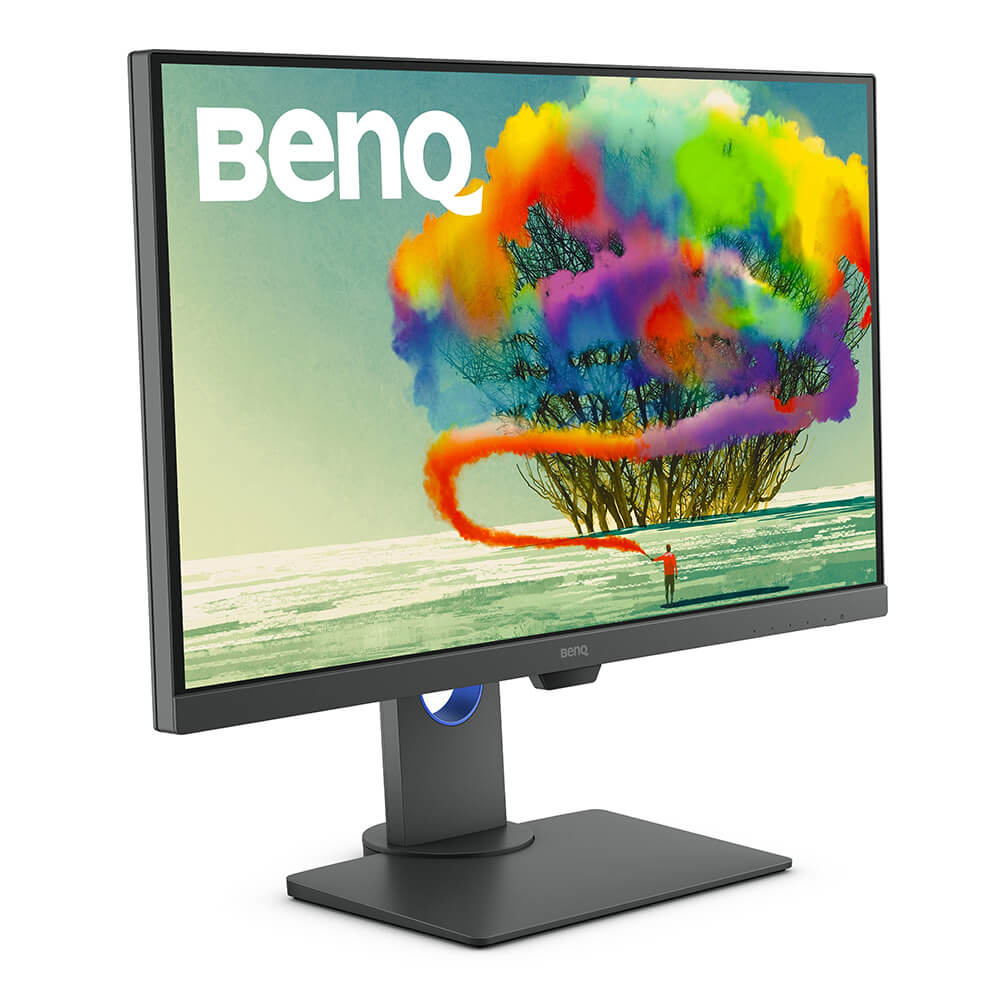
Benq 9H.LJELA.TBE BenQ PD2705Q LED display 68.6 cm (27") 2560 x 1440 pixels Quad HD Grey
The AQCOLOR AdvantageColor is serious business. We work tirelessly to meet or surpass ICC*/ISO** professional standards, deliver detail precision, and assure out-of-the-box accuracy from calibration. You’ll see the AQCOLOR advantage in every BenQ DesignVue Designer series monitor.Industry-Standard ColorDesigners and video editors count on color accuracy. PD2705Q covers 100% of industry-standard sRGB and Rec. 709 wide color gamuts while achieving amazing Delta E ≤ 3 color accuracy. You’ll see more realistic, accurate results from different production lines show color at the same levels.Multiple Monitor Color ConsistencyExperience consistent colors throughout your workflow, even on multiple monitors. BenQ ensures PD2705Q displays from different production lines show color at the same levels.Out-of-the-Box Color AccuracyHave confidence in your color. Each BenQ PD2705Q arrives factory-calibrated with its unique calibration report.CalMAN Verified and Pantone ValidatedBenQ displays are the first in the industry to earn these certifications. PD2705Q earns CalMAN Verified and Pantone Validated status. Creative professionals demand excellence, and BenQ delivers.Professional ModesElevate your expertise with BenQ’s specialized display modes.Darkroom ModeAdjust image brightness and contrast for superior work in dark environments.M-book ModeAchieve consistent color across devices effortlessly. M-book mode matches your monitor to your Mac.Animation ModeEnhance the clarity of dark areas without overexposing bright regions in 3D animation.CAD/CAM ModeEnjoy superior contrast of lines and shapes in technical illustrations.HDR for Realistic ResultsPD2705Q is HDR10-compatible so videographers can preview HDR video content during the editing process. This ensures superior final output.Designed With You in MindEliminate needless repetition with custom productivity hacks.One Cable ConnectivityUSB-C port transmits high-speed video/audio/data and 65W power delivery with just one cable. Daisy-chain monitors to improve work flow in an uncluttered workspace.One Click Color Setting SyncICCsync simplifies the mapping process between the profile on the monitor and the source device. This ensures the monitor displays the accurate color setting.One Display to Show Two Color ModesDualView improves your workflow and enhances productivity by displaying designs in two modes (e.g. sRGB and CAD/CAM) side-by-side on a single screen.One Set to Control Two SystemsKVM Switch function allows users to display and control content from two different PCs on a single screen using just one keyboard and mouse to save space and boost work efficiency.BenQ's industry-leading eye care technologies reduce eye fatigue while ensuring greater user comfort during long periods of use.
Part# 9H.LJELA.TBE
SKU S19454
In
Stock
Benq
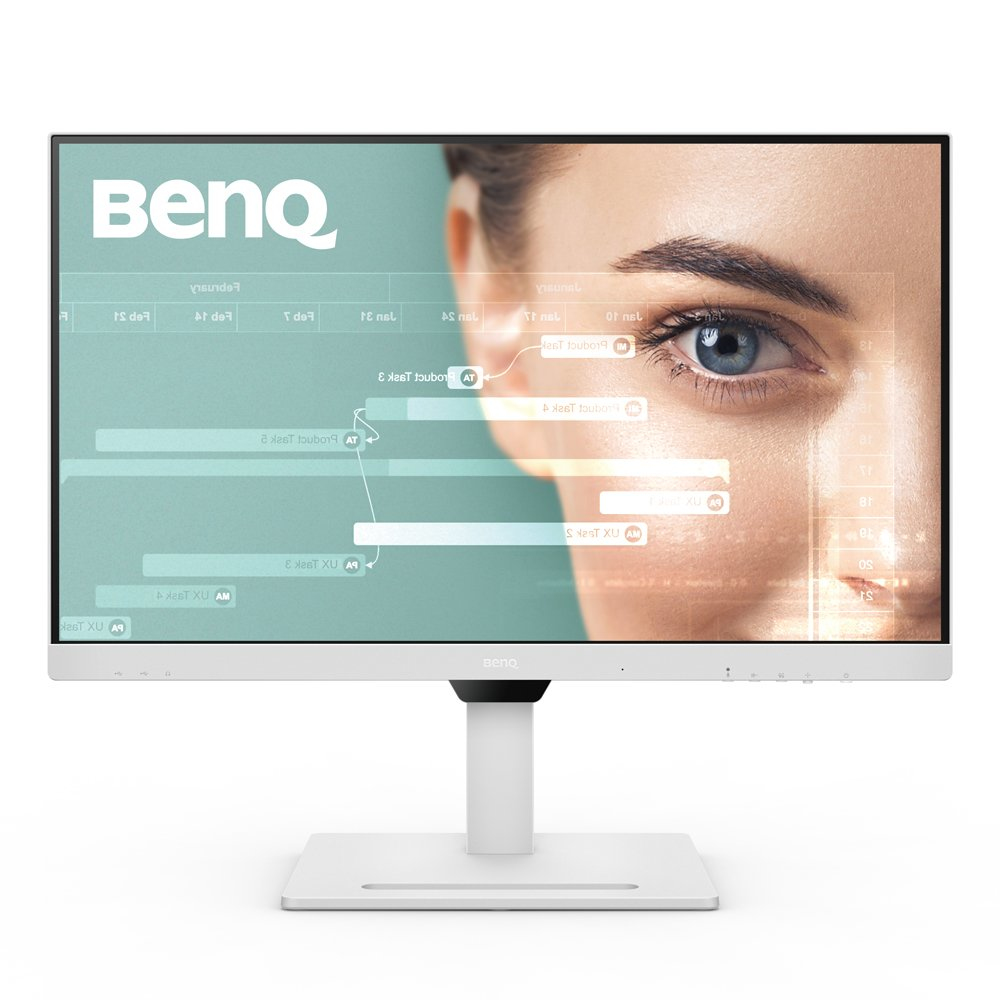
Benq 9H.LLGLA.TBE BenQ GW2790QT computer monitor 68.6 cm (27") 2560 x 1440 pixels Quad HD LED White
Maximizing Productivity with SimplicityBalance work and life efficiently and easily. With the GW2790QT, switching between devices and activities became even more effortless as one USB-C cable and integrated USB-hub connects all. Showcase your taste with impeccable details and quality, the GW2790QT presents a customizable design that accommodates every lifestyle.Versatile Connectivity Directs Your WorkflowPerfect ports reduce cable clutter. One single USB-C™ cable simultaneously provides fast data transfer and 65W power delivery for your laptop. The thoughtfully-placed ports downstreams data and power to your phone and heightens convenience for various personal devices.*Cables included in the package comes in the color black.Expand to Multiple DisplaysConnect your computer to create a multi-monitor setup for extra screen real estate and a decluttered workspace by daisy-chaining. Utilize pivot rotation to customize views on multiple displays.View More with Stunning Details2K QHD showcases more space for contents on screen while delivering stunning details even in smaller fonts. Whether in working scenarios or leisure activities, GW2790QT effortlessly presents vivid contrast and lifelike images.Tailored Modes for Multi-UsageCoding ModeDevised to make every color pop out for easy readability with optimized contrast and saturation of dark mode.M-Book ModeDedicated to minimize the visual differences between the monitor and the connected MacBook series product.Adjust for Higher EfficiencyThe ergonomic design offers easy customization of the height, tilt, pivot and swivel of the monitor, boosting efficiency in an ideally comfortable user environment. See the whole picture and enjoy images in their full context.Switch Seamlessly with One ClickConveniently-placed buttons for switching between microphone, speaker, and Eye-Care needs. Utilize the 5-way controller as one-stop navigator to reach all settings.Clear-Cut Vocals in Any EnvironmentNo matter the environment, GW2790QT easily provides the best audio quality. Jump into meetings with clear vocals transmitted through Noise Filter Speakers and Noise Cancellation Microphone.Noise Filter SpeakersOptimized noise-filtering technology within the built-in speakers help reduce background sound on the other end, leaving only clear vocals for better communication.Noise Cancellation MicrophoneWith the integrated Noise Cancellation Microphone*, ambient sound is filtered in your environment while bringing out important vocal cues.Separating Signal from Noise*The Noise Cancellation Microphone only works on laptops and other external PCs when connected via USB-C.Smart Optimization for Perfect Content BrightnessWelcoming long usages from day to night, the Brightness Intelligence sensor detects light changes in your viewing environment and actively adjusts screen brightness for comfortable viewing experiences. B.I. Gen2 allows higher degree of adjustability via customizable screen brightness to your preferences while caring for your eyes.Eye-CareULeave it to the compatible software Eye-CareU on GW2790QT to remind you of time, lighting, and posture as you focus on what you do best. The pop-up access works as an assistant, allowing quick navigation and setting via its quick on-screen control.TÜV Rheinland CertificationGlobal safety authority TÜV Rheinland certifies GW2790QT's Flicker-Free and Low Blue Light as truly friendly to the human eye. Eyesafe certification ensures that the display reduces blue light while maintaining vivid color.Low Blue Light Plus TechnologyThe technology keeps vivid color while filtering out shorter, higher energy blue-violet radiation harmful to the eyes.Flicker-Free TechnologyThe exclusive BenQ Flicker-Free Technology eliminates flickering at all brightness levels to reduce eye strain, fatigue, and headaches.Color Weakness ModeThe red and green filters on the monitor help individuals with color deficiency distinguish colors more easily.ePaper ModeThe simulated e-book effect with clear black and white reading layout makes a better reading experience.Distinctive Creation meets High FunctionalityThe compatible accessory monitor base cover GC01 decorates and organizes. Get your tasks done fast, and with style.Personalize Your SpaceDecorate with style and fun. Bring your collection to life and complement your working environment with passion and joy.Hold Cables Neat and TidyKeep your cords untangled and easy to use while the downstream USB-C™ port delivers data and power to your phone.Arrange with SimplicityNo more scatter and search as the functional base design organizes stationery and clears your desk surface for higher productivity.
Part# 9H.LLGLA.TBE
SKU S19454
In
Stock

Item(s) added to cart

