
 0
0
Networking
3240 –
3250
of
3279
Availability
Sort by
Advance Filters
TP-Link
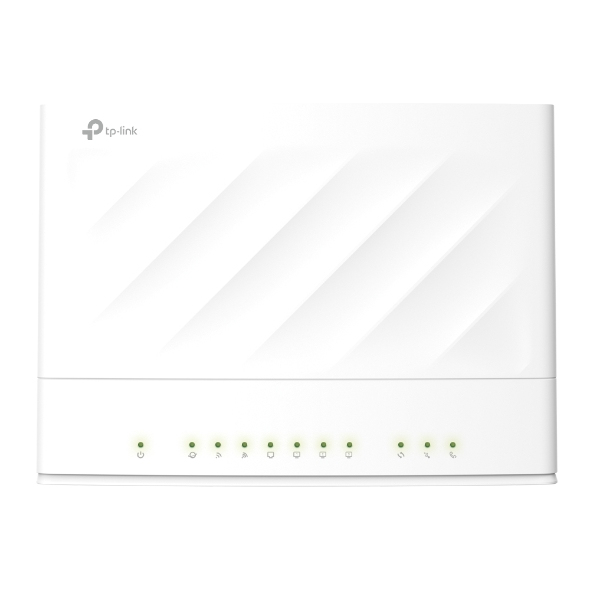
TP-Link EX230V TP-Link AX1800 wireless router Gigabit Ethernet Dual-band (2.4 GHz / 5 GHz) White
Wi-Fi RouterTP-Link’s Wi-Fi routers are some of the most competitive CPEs on the market, known for their reliability and cost-effectiveness, Making use of various technologies such as Wi-Fi 6, and with support of dual band 5 GHz and 2.4 GHz wireless bands, these routers not only deliver faster than ever speed, but also provide a stable network environment to help ISPs to provide better user experience.Multi-Application ScenarioEasily share files & media with networked devices. With FXS ports, users can make or receive phone calls over the Internet simply by connecting the devices to the existing telephone set.Ultrafast Dual Band Wi-FiProvide ultrafast dual band Wi-Fi speed in both 2.4GHz and 5GHz band, ensuring high data transmission.MU-MIMO and Beamforming for Better PerformanceMU-MIMO technology serves multiple devices at once, reducing wait time, increasing Wi-Fi throughput for every device, and making each stream more efficient.Beamforming technology detects the location of your connected devices and concentrates the Wi-Fi signal towards them to create stronger overall connections.TR-069 Protocol Enables Easy Remote ManagementTR-069 protocol enables operators to remotely configure and manage end-users’ devices.
Part# EX230V
SKU S19454
Limited Availability

TP-Link
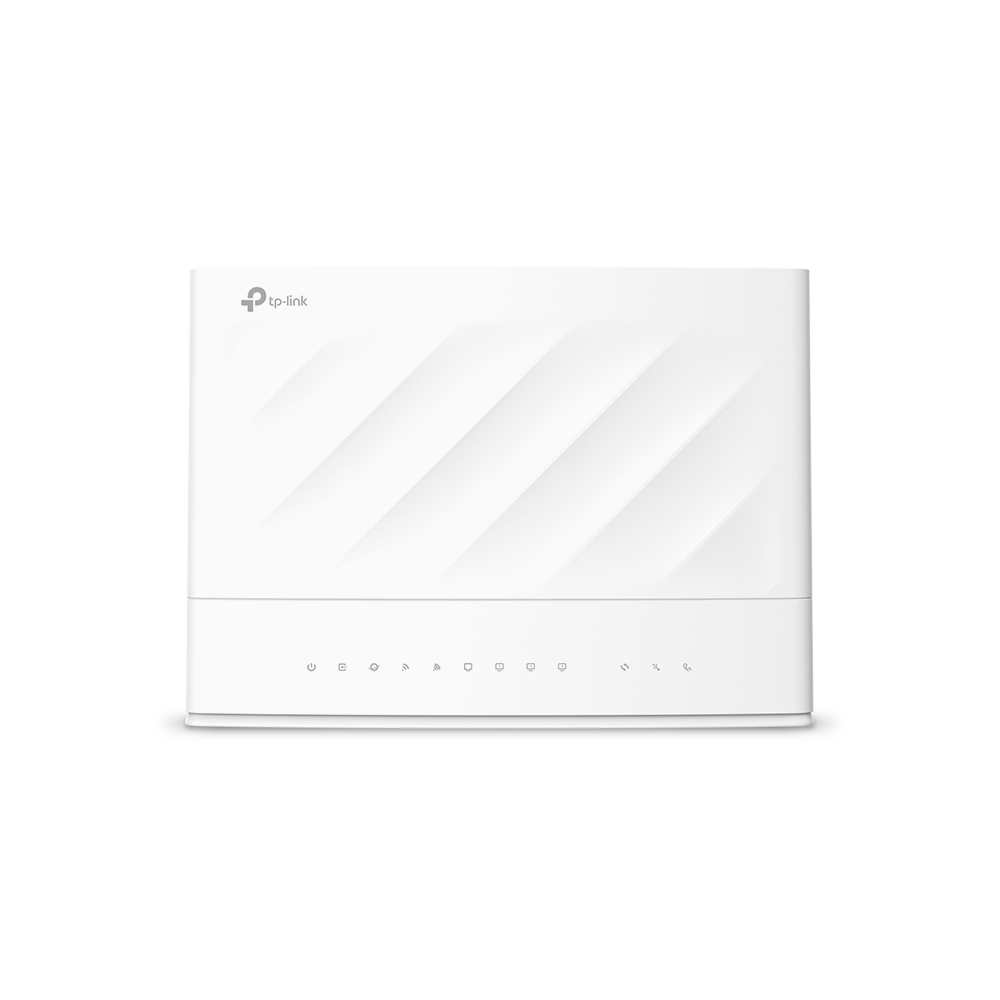
TP-Link VX230v TP-Link VX230v wireless router Gigabit Ethernet Dual-band (2.4 GHz / 5 GHz) White
TP-Link VX230v. WAN connection type: RJ-11/RJ-45. Wi-Fi band: Dual-band (2.4 GHz / 5 GHz), Top Wi-Fi standard: Wi-Fi 6 (802.11ax), WLAN data transfer rate (max): 1201 Mbit/s. Ethernet LAN interface type: Gigabit Ethernet, Ethernet LAN data rates: 10,100,1000 Mbit/s, Cabling technology: 10/100/1000Base-T(X). NAT functionality: NAT Forwarding. Supported network protocols: IPv4, IPv6
Part# VX230v
SKU S19454
Limited Availability

Cisco
Cisco SFP-25G-SL= Cisco 25GBASE-SR SFP SL MODULE network transceiver module Fiber optic SFP28 850 nm
The Cisco 25GBASE-SL Module supports a link length of 20/30m on OM3/4 MMF.
Part# SFP-25G-SL=
SKU S19454
Limited Availability
QNAP
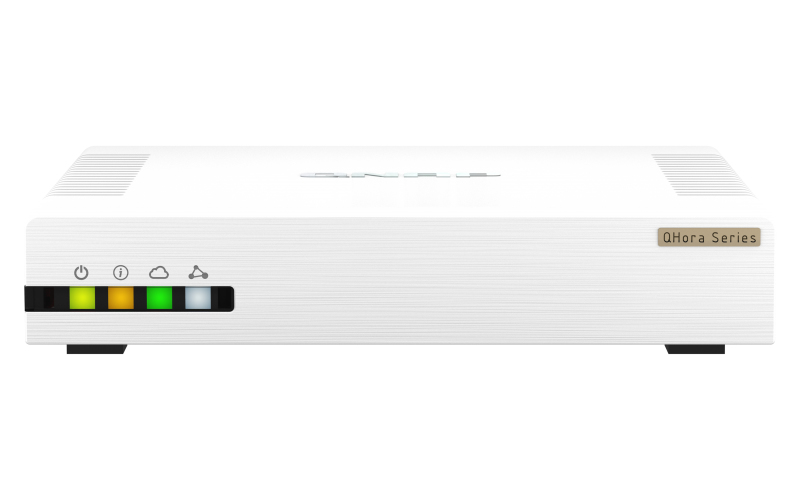
QNAP QHora-321 QNAP QHora-321 wired router 2.5 Gigabit Ethernet White
Next-Generation six-port 2.5GbE SD-WAN Router, providing a secure networking experience for NAS and IoT environmentsThe QHora-321 enables high-speed connection with six 2.5GbE ports, while also providing enterprise-grade Mesh VPN networking. You can achieve multi-site LAN development via the cloud through QuWAN Orchestrator, with full software-controlled routing to build a next-generation network. It is strongly recommended to pair QHora-321 with a QNAP NAS for businesses to perform secure remote backup: By using the Hybrid Backup Sync app through QuWAN, you can transfer files and snapshot files between multiple NAS through a secure encrypted network. For enhanced security, you can also connect your NAS (QNAP or otherwise) directly behind the QHora-321 to prevent attacks.Ultimate wired networking performanceThe QHora-321 provides six 2.5GbE ports (compatible with 2.5G/ 1G/ 100M) for high-speed wired networking performance.WAN/LAN flexible deploymentAs a next-generation router, every port of the QHora-321 gives you flexible high-speed LAN/WAN deployment.Wired network deployment for every scenarioIoT Direct-to-device connectivityDirectly connect individual IoT devices to the QHora-321 through independent network segments, so that different devices can operate smoothly together.High-speed LANSet multiple LAN ports in one LAN using the QuRouter OS. A high-speed Intranet is ideal for large file transfer or communication between workstations.VLAN Network SlicingUse the VLAN function to segment domains for different applications, so that multiple applications can connect to the network through a single network port.Auto Mesh Multi-site VPNEnable QuWAN SD-WAN at multi-site QHora-321, multi-points will automatically form a Mesh VPN network. providing a simpler and faster multi-point secure connection solution.Secure access to your NASTo secure your remote access and prevent potential attacks, it is highly recommended to connect the QHora-321 in front of your NAS device. The NAT (Network Address Translation) enables private network security by hiding the actual IP address used in the private network from users outside the firewall.Mesh VPN + HBS = Easy and secure remote NAS backupThrough the QuWAN cloud platform, the QHora-321 can automatically establish a mesh VPN network with other QNAP devices to quickly deploy a mesh VPN environment. To effectively complete remote backup tasks for your organization, use the Hybrid Backup Sync (HBS) app in QNAP NAS to easily back up or sync NAS data to another NAS, remote server, or the cloud. Build your 3-2-1 backup up strategy and prevent data loss with HBS now!A modern design for every usage environmentThe QHora-321 has near-silent operation. Even when connected to multiple devices, it maintains dependable performance for office and home use. With a modern appearance and highly effective cooling, the QHora-321 fits perfectly alongside other devices in modern digital homes and offices.QHora – Best-in-class network security solutionFeaturing cutting-edge network security techniques, the QHora offers an all-in-one solution for building a secure next-generation network.Secure local NAS devicesQHora supports L3 firewall, NAT, and Port Forwarding to improve LAN Security.Secure remote devicesQHora at different sites enables interconnected Mesh VPN topology via SD-WAN for secure access to your NAS.Secure end devicesMobile devices can securely access NAS data via the QVPN service (supports OpenVPN, L2TP, and QNAP's proprietary QBelt VPN protocols) offered by QHora.Secure NAS applicationsCross-site NAS data transfers, such as file backup, synchronization and sharing, are protected within the SD-WAN network.QuRouter OS: User-Friendly Router ManagementThe QHora-321 uses the QuRouter OS, providing a user-friendly web-based GUI, at-a-glance dashboard and port indicators to assist in everyday network management tasks. With the QuRouter OS, not only can users efficiently manage all connected wired and wireless devices in real-time, but they can also configure the firewall, VPN, security, and QuWAN advanced functions.VPN setup has never been easierThe traditional multi-site VPN setup is extremely time-consuming and requires subsequent maintenance work. The QHora-321 is equipped with QNAP's next-generation QuWAN SD-WAN technology to greatly simplify installation: setting up a VPN no longer requires additional fixed IP application as local and remote configuration information can be automatically exchanged through the Cloud Orchestrator. In this case, IT professionals can complete VPN setup with minimal user intervention.Centralized QuWAN Orchestrator for efficient Cloud managementQuWAN Orchestrator is a powerful and convenient centralized network management cloud platform, enabling IT staff to remotely deploy and manage edge network devices. Its Zero Touch Provisioning (ZTP) allows IT staff to easily build a large-scale WAN remotely and without the assistance of personnel at each location. IT staff can also monitor bandwidth, set parameters, and analyze network traffic on a single platform – perfect for multi-site, multinational network management and maintenance. Connected to the QHora-321 via wired or wireless connections, client devices can easily access the SD-WAN network.QuWAN AgentInstall QuWAN Agent on your QNAP devices and configure the setting parameters to be connected to each other in a Mesh VPN (Topology view in QuWAN Orchestrator).QVPN ClientInstall QVPN on mobile devices and computers for easy connection to the QHora-321 for accessing multi-site VPN resources.Deploy a multi-site VPN with the subscription-free QuWAN solutionQuWAN can be installed on QNAP NAS, QGD switches and QuCPE servers*. When co-working with the QVPN App, remote workers can be easily connected to SSL VPN via their computer or mobile device. Whether scaling up to accommodate worldwide offices or simply to different departments in the same building, devices in different locations are flexibly segmented to be connected with each other in a micro-segmented network.QuWAN OrchestratorManage the network using a centralized management cloud platform.QuCPE ServerThe high-performance core VPN Server at the HQ.NASAdd branch offices to the VPN Infrastructure with your existing NAS.QGD SwitchFulfill surveillance and VoIP applications at small business sites (such as stores).QHora RouterProvides easy-to-use VPN functions for remote workers.QVPNMobile users can connect to SSL VPN using their PCs, laptops or mobile phones.Enhanced SecurityThe QHora-321 offers many comprehensive security features.QuWAN Identity VerificationLog in to the QuWAN Orchestrator by adding your QNAP ID to the SD-WAN Organization in the Account Center.Local Device Identity VerificationUse the Local Account to log in to a local device.QuWAN Network ManagementForm a secure remote VPN connection with multi-site devices through IPSec VPN.QHora Network ManagementSupports L3 firewall, NAT, and Port Forwarding to improve LAN Security.QVPN Access AuthorizationRemote workers can be easily connected to SSL VPN via their computer or mobile devices.Edge Device Application ManagementWith the L7 Firewall and DPI (Deep Packet Inspection) technology, users can set multiple segments for different blacklist applications; Web Filter function limits network usage time and browsing guidelines for kids.QVPN: Secure communication with remote devicesThe QHora-321 incorporates both the VPN server and client capabilities of the QVPN Service – allowing you to create a VPN client that connects to a remote server or third-party provider to access content or services. It also allows the QHora-321 to be used as a VPN server for connecting to end devices with OpenVPN, L2TP/IPSec, and QNAP's proprietary QBelt VPN protocols.*WireGuard® - easier VPN tunnels for remote workersQHora-321 now supports WireGuard®*, providing faster and stable VPN connections. With a user-friendly interface, non-IT professional remote workers can easily set up VPN tunnels to access office-based QNAP devices with simplified connection methods.Watch global videos without limitsUnlock the Internet with QHora-321’s QVPN Client service! By setting the OpenVPN protocol in QVPN Client to direct network to a cross-region VPN Server, QHora-321 can be connected to Cloud VPN services (such as NordVPN, ExpressVPN, Surfshark), allowing you to bypass geoblocking and watch regional video streams or news.
Part# QHora-321
SKU S19454
Limited Availability
TP-Link
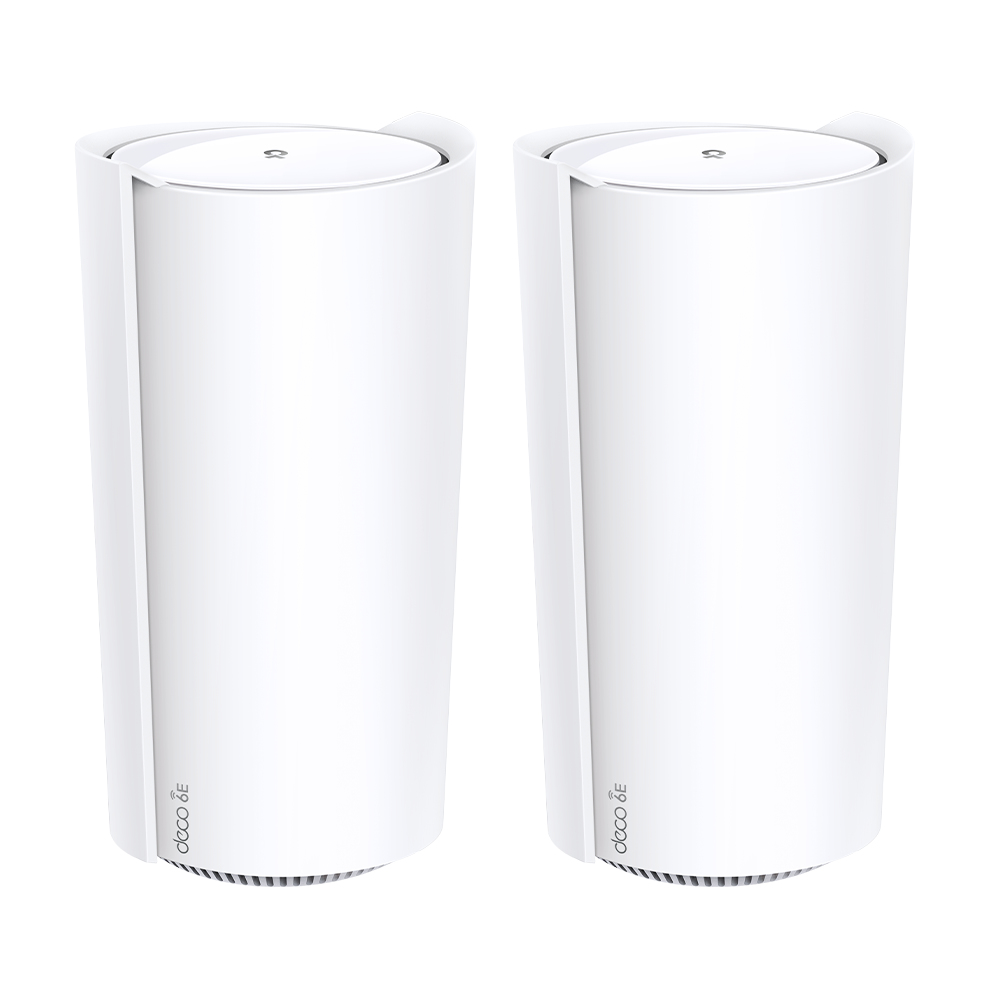
TP-Link DECO XE200(2-PACK) TP-Link AXE11000 Whole Home Mesh Wi-Fi 6E System
Fast. Smart. Powerful. Everywhere.AXE11000 Tri-Band Whole Home Mesh WiFi 6E SystemUpgrade Your WiFi to 6EWiFi 6E utilizes the capabilities of 6 GHz to enable high-bandwidth applications that require faster data throughput such as high-definition video streaming and virtual reality, as well as lower latency connectivity for online gaming applications.Tri-Band, Beyond FastLag-free entertainment, non-stop steaming.- 4804 Mbps on 6 GHz band- 4804 Mbps on 5 GHz band- 1148 Mbps on 2.4 GHz bandAttention to Every DetailIndependent R&D and in-house manufacturing ensure a high standard for all of our products.Whole Home Coverage,The Real ThingAll Deco units work together, simply add Deco units for more coverage.Best WiFi For Your Unique HomeDeco fits any type of your house, and creates the ideal network throughout your home.Designed for More DevicesNo more dragging down performance in traffic-dense environments.Intelligent Networking for a Smarter HomeDeco uses its custom algorithms to automate the connections on your network, ensuring the strongest possible signals at all times.Seamless Roaming with One WiFi NameTP-Link Mesh means Deco units work together to form one unified network. Your phone or tablet automatically connects to the fastest Deco as you move through your home, creating a truly seamless WiFi experience.Protect Your Network and Everything on ItNetwork ProtectionDetect cyber threats to keep your privacy and connected devices well protected.- Real-Time IoT Protection- Malicious Site Blocker- Intrusion Prevention- Home Network ScannerRobust Parental ControlsManage online time and block inappropriate content to keep families healthy online.- User Profile by Age- Content Filter- Bedtime- Time RewardsQuality of Service (QoS)Prioritize your bandwidth needs to get a faster networking experience.- Device PriorityComprehensive ReportsGain full statistics and insights to help you know your home network better.- Internet User Overview- Online Time Analysis- Browser History Analysis- End Device StatisticsSimple. Easy. Yet Powerful.Setup and manage your network anytime and anywhere on the friendly TP-Link Deco app. In just three easy steps your entire home can be blanketed in strong and reliable WiFi.Easy ManagementManage your WiFi at home or away on the Deco app. See every connected device, prioritize your own, and set up a guest network.Voice ControlUse an Amazon Alexa or Google Assistant-enabled device to control Deco XE200 with just your voice.All Decos Work TogetherDeco XE200 is compatible with every other Deco model to form a Mesh network. Expand Mesh WiFi coverage anytime by adding more Decos.
Part# DECO XE200(2-PACK)
SKU S19454
Limited Availability
D-Link
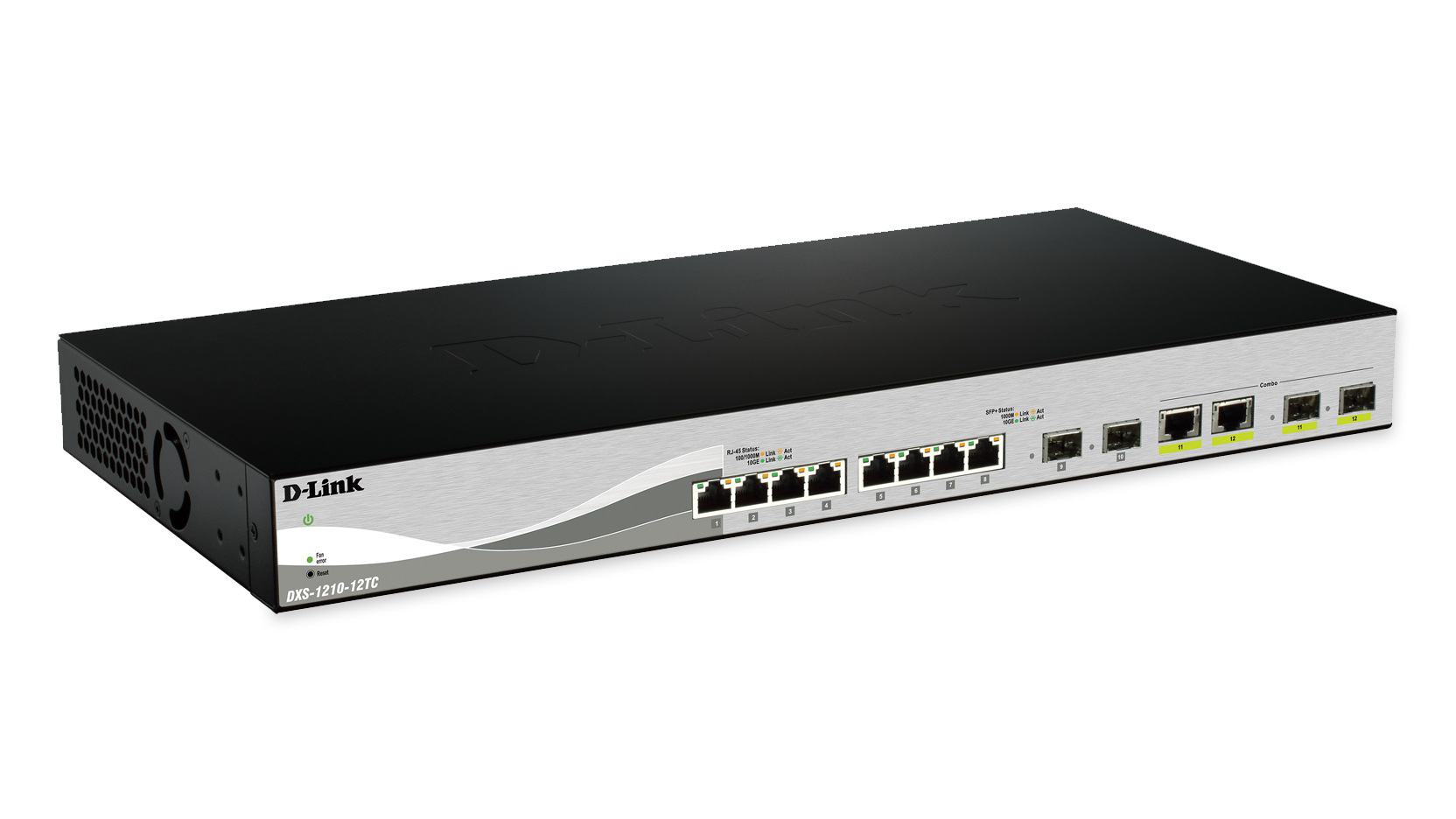
D-Link DXS-1210-12SC/E D-Link DXS-1210-12SC/E network switch Managed L2 10G Ethernet (100/1000/10000) 1U Black, Silver
D-Link’s DXS-1210 series 10 Gigabit Ethernet Smart Managed Switches are cost effective 10 GbE switches capable of servicing a range of network needs in any business. With high performance and low latency, these switches can fulfill the needs for virtualization, cloud services and server-to-server applications, making them perfect for SMB networking applications. DXS-1210 series switches offer a combination of 10GbE copper and fiber ports. The 10GBASE-T copper ports utilize RJ45 interfaces and support 10 Gigabit speeds over CAT6a/CAT7 LAN cabling up to 100m. The 10GbE fiber ports can be connected to other 10GbE ports with low cost Direct Attach Copper (DAC) cables, or with SFP+ optical transceivers on multimode or single-mode fiber optic cabling. Energy Saving Incorporating D-Link Green technology, these switches are capable of powersaving without sacrificing operational performance or functionality. They feature built-in smart fans with internal heat sensors that monitor and detect temperature changes and react accordingly by utilizing different fan speeds for different temperatures. At lower temperatures, the fans run slower, reducing the switch’s power consumption and noise. Link status drastically reduces power consumption by automatically toggling all ports without a link to sleep mode. The DXS-1210 switches take the approach to green IT one step further by incorporating a special chipset with advanced silicon technology for efficient use of energy. Extensive Management and Layer 2 Features The DXS-1210 Series comes with a complete lineup of L2 features, including port mirroring, Spanning Tree Protocol (STP), and Link Aggregation Control Protocol (LACP). Network maintenance features include loopback detection and cable diagnostics. Loopback detection significantly speeds up troubleshooting by automatically detecting and shutting down difficult to diagnose switching loops. The cable diagnostic feature, designed primarily for administrators and customer service representatives, determines the quality of connected cables, and quickly discovers errors, allowing hassle-free diagnostics and maintenance. QoS, Bandwidth Control The DXS-1210 Series supports Auto Surveillance VLAN (ASV) and Auto Voice VLAN, which are best suited for video surveillance and VoIP deployments. Auto Surveillance VLAN consolidates data and surveillance video transmission through a single switch, thus sparing businesses the expense of dedicated hardware and facilities. ASV also ensures quality real-time video monitoring and control without compromising the transmission of conventional network data. Auto Voice VLAN technology enhances the VoIP service by automatically placing voice traffic from IP phones to a designated VLAN. With higher priority and an individual VLAN, these features guarantee the quality and security of VoIP traffic. The Differentiated Service Code Point (DSCP) markings on Ethernet packets enable different levels of service to be assigned to network traffic. As a result, these voice and video packets take precedence over other packets. In addition, with bandwidth control, network administrators can reserve bandwidth for important functions that require higher priority or more bandwidth. Secure your Network D-Link’s innovative Safeguard Engine® protects the switches against traffic flooding caused by malicious attacks. The DXS-1210 Series supports 802.1X port-based and host-based authentication, allowing the network to be authenticated through external RADIUS servers. The Access Control List (ACL) feature enhances network security and helps to protect the internal IT network. The DXS-1210 Series also features Address Resolution Protocol (ARP) spoofing prevention, which protects from attacks on the network that may allow an intruder to sniff data frames, modify traffic, or bring traffic to a halt altogether by sending fake ARP messages. To prevent ARP spoofing attacks, the switches use packet control ACLs to block invalid packets that contain fake ARP messages. For added security, the DHCP server screening feature filters DHCP replies on unauthorized ports to prevent them from being assigned an IP address. Versatile Management The DXS-1210 Series comes with the D-Link Network Assistant (DNA) utility that simplifies the configuration of devices that support the D-Link Discovery Protocol. The D-Link Network Assistant utility easily allows customers to discover multiple D-Link Smart Managed Switches within the same L2 network segment and displays them on screen for instant access. With this utility, users do not need to change the IP address of their PC. This utility further allows for simultaneous configuration and basic setup of all discovered devices, including password changes and firmware upgrades. The DXS-1210 Series also supports D-View 7 and Command Line Interface (CLI) through Telnet. D-View 7 is a network management system that allows for the central management of critical network characteristics such as availability, reliability, resilience, and security. Seamless Integration The DXS-1210 Series switches’ copper ports can support Gigabit connections over existing CAT5/5e twisted-pair cables, and can support 10-Gigabit connections (10GBASE-T) over CAT6 and above. The DXS-1210-12TC has eight 10GBASE-T ports, two SFP+ ports and two 10GBASE-T/SFP+ combo ports, while the DXS-1210-12SC has ten 10G SFP+ ports and two 10GBASE-T/ SFP+ combo ports. This means they provide a more flexible solution for upstream or downstream server connections, making network administration easy. Limited Lifetime Warranty D-Link offers a Limited Lifetime Warranty on the DXS-1210 Series 10 Gigabit Ethernet Smart Managed switches to further its commitment to product quality and long term customer confidence.
Part# DXS-1210-12SC/E
SKU S19454
Limited Availability
D-Link
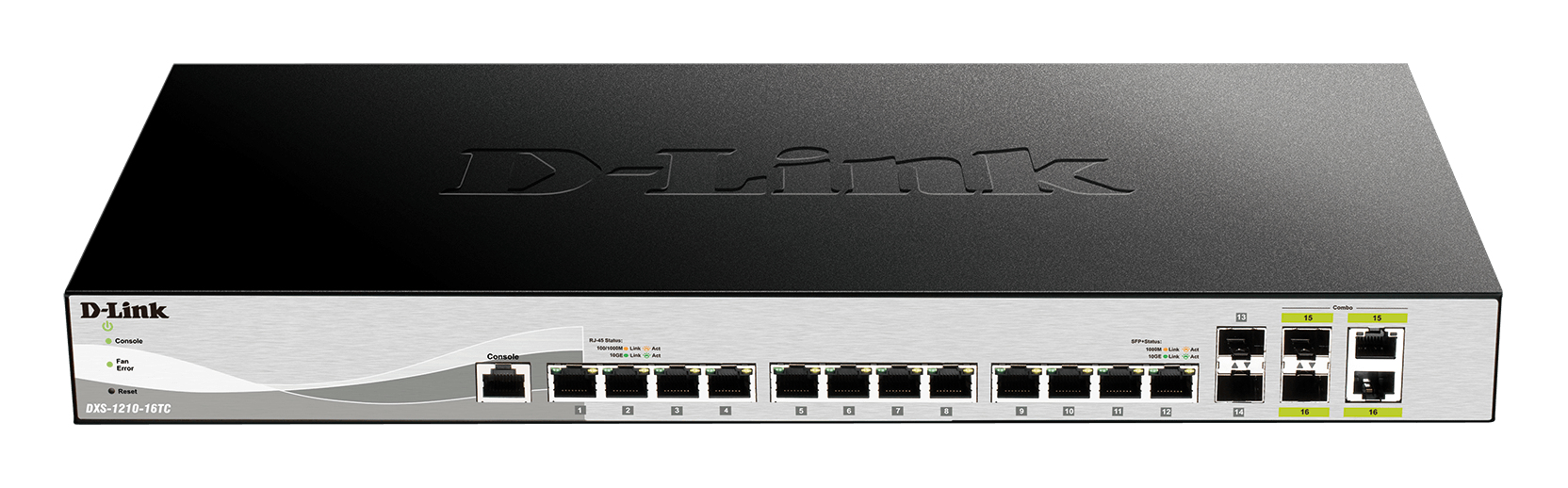
D-Link DXS-1210-16TC/E D-Link DXS-1210-16TC/E network switch Managed L2 10G Ethernet (100/1000/10000) Grey
D-Link DXS-1210-16TC/E. Switch type: Managed, Switch layer: L2. Basic switching RJ-45 Ethernet ports type: 10G Ethernet (100/1000/10000), Basic switching RJ-45 Ethernet ports quantity: 12. MAC address table: 16000 entries, Switching capacity: 320 Gbit/s. Networking standards: IEEE 802.1D, IEEE 802.1Q, IEEE 802.1s, IEEE 802.1w, IEEE 802.1x, IEEE 802.3ab, IEEE 802.3ad, IEEE.... Power connector: AC-in jack. Rack mounting
Part# DXS-1210-16TC/E
SKU S19454
Limited Availability
Cisco
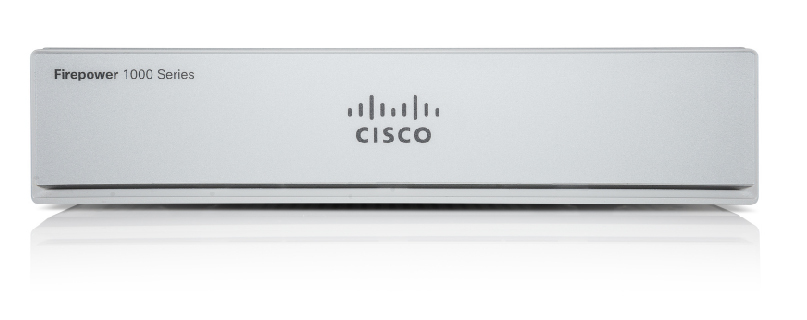
Cisco FPR1010E-NGFW-K9 Cisco Firepower 1010E NGFW hardware firewall 1U
The Cisco Firepower 1010 and 1010E are a series of compact network security appliances in the Cisco Firepower family. The Firepower 1010 is first supported in Firepower Threat Defense (FTD) Version 6.4 and ASA Version 9.12. PoE+ and L2 switch support were added beginning with FTD Version 6.5 and ASA Version 9.13. The 1010E without PoE+ is supported first in Secure Firewall Threat Defense Version 7.2.3 and Secure Firewall ASA Version 9.18.2.
Part# FPR1010E-NGFW-K9
SKU S19454
Limited Availability
Netgear
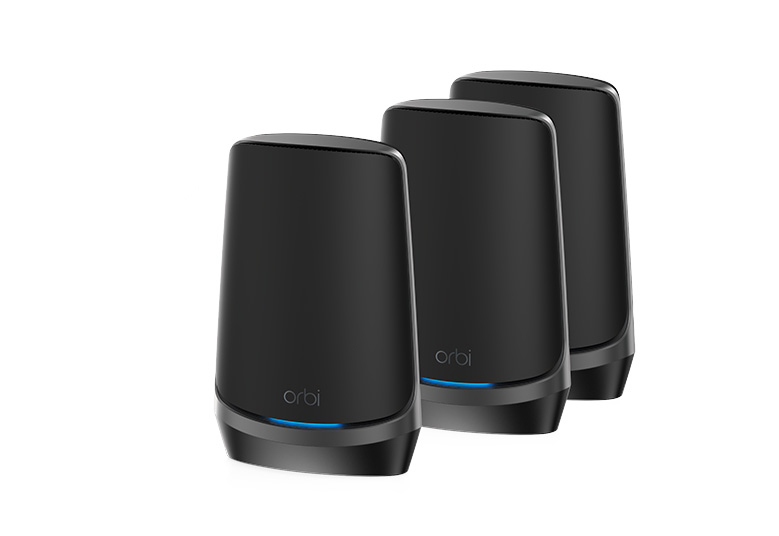
Netgear RBKE963B-100EUS NETGEAR RBKE963B wireless router 10 Gigabit Ethernet Quad-band (2.4 GHz / 5 GHz-1 / 5 GHz-2 / 6 GHz) Black
Introducing the industry's first Quad-band mesh WiFi 6E system. Orbi Quad-band, with dedicated WiFi connections, new WiFi 6E, and a 10 gigabit wired Internet port, delivers ultra-fast speeds and massive device capacity. With combined WiFi speeds of up to 10.8Gbps across up to 9,000 square feet you'll enjoy the most amazing WiFi experience ever.THE WORLD'SMOST POWERFULWIFI SYSTEMAbsolute Smoothest Streaming AvailableNew Quad-Band Turbocharged PerformanceLightning Fast WiFi Speed to Every Room & DeviceNext-Gen WiFi 6E TechnologySMOOTHESTSTREAMING EVER.ON ALL SCREENS,ALL AT ONCE.16 simultaneous WiFi streams deliver instant, uninterrupted video everywhere in your house at the same time.WIFI 6E,THE FASTESTWIFI EVER. Orbi adds a new 6GHz WiFi 6Eband — a superhighway for today'snew WiFi 6E devices, providing thefastest speed and the greatest devicecapacity.ORBI QUAD-BAND.TURBOCHARGED FOR MAXIMUM PERFORMANCE.Exclusive Quad-Band technology features a dedicated WiFi band connecting Orbi router and satellites, ensuring Gigabit+ Internet speeds get delivered throughout your home.MORE WIFI NETWORKS.EVEN MORE PERFORMANCE.Create new separate networks for WiFi 6E andsmart home (IoT) devices to optimize overall performance
Part# RBKE963B-100EUS
SKU S19454
Limited Availability
TP-Link
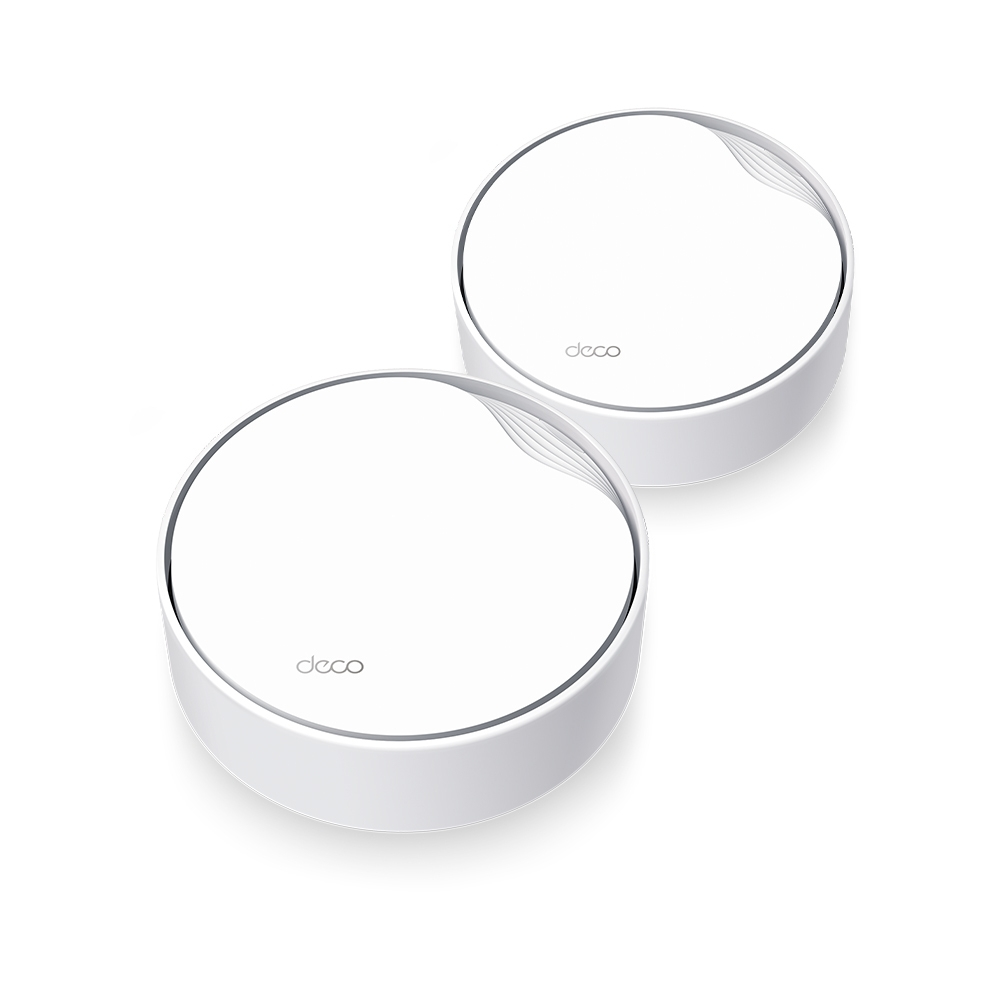
TP-Link Deco X50-PoE(2-pack) TP-Link AX3000 Whole Home Mesh WiFi 6 System with PoE
Multi-Scenario Mesh WiFi Meets All Your NeedsAX3000 Whole Home Mesh WiFi 6 System with PoEMultiple Installation Options,Put Your Deco Anywhere You WantDeco X50-PoE has flexible installation to meet various demand scenarios. Place it on a tabletop or install it on a ceiling or wall with our adaptive accessories.Ideal for Non-Stop EntertainmentsArmed with WiFi 6 technology, Deco whole home mesh WiFi is designed to deliver a huge boost in coverage, speed, and total capacity. Get on the latest mesh WiFi to enjoy the future network that loads faster and connects more.Powerful AX3000 Dual-Band WiFi SpeedThe latest 1024-QAM boosts speeds up to 3.0 Gbps — ideal for bandwidth-intensive tasks like cloud gaming and 8K video. Families will enjoy immersive live-streaming with flawless video and clear audio without buffering.Multi-Gig 2.5 Gbps PoE PortArmed with a 2.5 Gigabit Ethernet Port, Deco X50-PoE delivers exceptional multi-gigabit performance to support the insatiable demand for better and faster WiFi. Breakthrough the 1G bottleneck and drive your devices to peak performance. Or using 2.5 GbE port to enjoy blazing-fast wired connections.Power over Ethernet for Simplified Network DeploymentDeco X50-PoE is designed to use a single Ethernet cable for both data and power transmission. It also supports DC (power adapter included) power supply for flexible installations.No FussSimplify the installation and streamline the deployment—no need for electricians.Cost-EfficiencyNo need for additional cables and power adapters—reduce costs on infrastructure.FlexibilityMore placement options allow for deployment in complex environments.Cover Every Corner of Your HomeDeco units work together as a powerful mesh network to boost broader coverage for connections in every corner.Want more coverage? Simply add another Deco. All TP-Link Deco can work together.Engineered for More DevicesDeco products are aimed to dramatically improve capacity and efficiency in traffic-dense environments. No matter how many screens or devices are on at once, everyone is able to enjoy a more efficient network that loads faster without dragging down performance.Intelligent Networking for a Smarter HomeDeco uses its custom algorithms to automate the connections on your network, ensuring the strongest possible signals at all times.Seamless Roaming with One WiFi NameTP-Link Mesh means Deco units work together to form one unified network. Your phone or tablet automatically connects to the fastest Deco as you move through your home, creating a truly seamless WiFi experience.Whole Home CoverageEliminate weak signal areas throughout your houseSmart RoamingUninterrupted streaming when moving between roomsOne WiFi NameNo more switching WiFi network namesUnified ManagementControl your home WiFi by managing the central node via the Deco AppCompact Design, Easy to MountExceptional performance with compact design ensures simple WiFi installation while saving space. The elegant appearance makes Deco X50-PoE with a delicate body case makes it perfect to blend into various home decorations.Simple. Easy. Yet Powerful.Setup and manage your network anytime and anywhere on the user-friendly TP-Link Deco app. In just three easy steps your entire home can be blanketed in strong and reliable WiFi.Easy ManagementManage your WiFi at home or away on the Deco app. See every connected device, prioritize your own, and set up a guest network.Voice ControlUse an Amazon Alexa or Google Assistant-enabled device to control Deco X50-PoE with just your voice.All Decos Work TogetherDeco X50-PoE is compatible with every other Deco model to form a Mesh network. Expand Mesh WiFi coverage anytime by adding more Decos.
Part# Deco X50-PoE(2-pack)
SKU S19454
Limited Availability

Item(s) added to cart


